Compare commits
1 Commits
| Author | SHA1 | Date | |
|---|---|---|---|
 github-actions[bot] github-actions[bot]
|
45dcd46469 |
@@ -1,13 +0,0 @@
|
||||
mobile/openapi/**/*.md -diff -merge
|
||||
mobile/openapi/**/*.md linguist-generated=true
|
||||
mobile/openapi/**/*.dart -diff -merge
|
||||
mobile/openapi/**/*.dart linguist-generated=true
|
||||
|
||||
web/src/api/open-api/**/*.md -diff -merge
|
||||
web/src/api/open-api/**/*.md linguist-generated=true
|
||||
|
||||
web/src/api/open-api/**/*.ts -diff -merge
|
||||
web/src/api/open-api/**/*.ts linguist-generated=true
|
||||
|
||||
mobile/openapi/.openapi-generator/FILES -diff -merge
|
||||
mobile/openapi/.openapi-generator/FILES linguist-generated=true
|
||||
@@ -1,4 +0,0 @@
|
||||
# These are supported funding model platforms
|
||||
|
||||
github: alextran1502
|
||||
custom: https://www.buymeacoffee.com/altran1502
|
||||
@@ -1,46 +0,0 @@
|
||||
---
|
||||
name: Bug report
|
||||
about: Create a report to help us improve
|
||||
title: '[BUG] <title>'
|
||||
labels: bug, need triage
|
||||
assignees: ''
|
||||
|
||||
---
|
||||
|
||||
<!--
|
||||
Note: Please search to see if an issue already exists for the bug you encountered.
|
||||
-->
|
||||
|
||||
|
||||
**Describe the bug**
|
||||
A clear and concise description of what the bug is.
|
||||
|
||||
**Task List**
|
||||
|
||||
*Please complete the task list below. We need this information to help us reproduce the bug or point out problems in your setup. You are not providing enough info may delay our effort to help you.*
|
||||
|
||||
- [ ] I have read thoroughly the README setup and installation instructions.
|
||||
- [ ] I have included my `docker-compose` file.
|
||||
- [ ] I have included my redacted `.env` file.
|
||||
- [ ] I have included information on my machine, and environment.
|
||||
|
||||
**To Reproduce**
|
||||
Steps to reproduce the behavior:
|
||||
1. Go to '...'
|
||||
2. Click on '....'
|
||||
3. Scroll down to '....'
|
||||
4. See error
|
||||
|
||||
**Expected behavior**
|
||||
A clear and concise description of what you expected to happen.
|
||||
|
||||
**Screenshots**
|
||||
If applicable, add screenshots to help explain your problem.
|
||||
|
||||
**System**
|
||||
- Phone OS [iOS, Android]: `<version>`
|
||||
- Server Version: `<version>`
|
||||
- Mobile App Version: `<version>`
|
||||
|
||||
**Additional context**
|
||||
Add any other context about the problem here.
|
||||
@@ -1 +0,0 @@
|
||||
blank_issues_enabled: false
|
||||
@@ -1,32 +0,0 @@
|
||||
name: Feature Request
|
||||
description: Request a feature that you would like for the app
|
||||
title: "[Feature]: "
|
||||
labels: ["feature", "need triage"]
|
||||
assignees:
|
||||
- ""
|
||||
|
||||
body:
|
||||
- type: markdown
|
||||
attributes:
|
||||
value: |
|
||||
Thanks for taking the time to fill out this feature request!
|
||||
|
||||
- type: textarea
|
||||
id: feature-detail
|
||||
attributes:
|
||||
label: Feature detail
|
||||
placeholder: Describe the feature you would like to see for the app
|
||||
validations:
|
||||
required: true
|
||||
|
||||
- type: dropdown
|
||||
id: platform
|
||||
attributes:
|
||||
label: Platform
|
||||
description: Choose the platform for the feature
|
||||
options:
|
||||
- Web
|
||||
- Mobile App
|
||||
- Server
|
||||
validations:
|
||||
required: true
|
||||
@@ -1,7 +0,0 @@
|
||||
version: 2
|
||||
updates:
|
||||
# Maintain dependencies for GitHub Actions
|
||||
- package-ecosystem: "github-actions"
|
||||
directory: "/"
|
||||
schedule:
|
||||
interval: "daily"
|
||||
@@ -1,152 +0,0 @@
|
||||
name: Build and Push Docker Image - Latest
|
||||
|
||||
on:
|
||||
workflow_dispatch:
|
||||
push:
|
||||
branches: [main]
|
||||
|
||||
jobs:
|
||||
# This image include both the server and microservices - the two containers can be slitted into separated
|
||||
# service with its coressponding entry file.
|
||||
build_and_push_server_monorepo_latest:
|
||||
runs-on: ubuntu-latest
|
||||
steps:
|
||||
- name: Checkout
|
||||
uses: actions/checkout@v3
|
||||
with:
|
||||
fetch-depth: 0
|
||||
|
||||
- name: Set up QEMU
|
||||
uses: docker/setup-qemu-action@v2.1.0
|
||||
- name: Set up Docker Buildx
|
||||
id: buildx
|
||||
uses: docker/setup-buildx-action@v2.2.1
|
||||
- name: Login to Docker Hub
|
||||
uses: docker/login-action@v2
|
||||
with:
|
||||
username: ${{ secrets.DOCKERHUB_USERNAME }}
|
||||
password: ${{ secrets.DOCKERHUB_TOKEN }}
|
||||
- name: Login to GitHub Container Registry
|
||||
uses: docker/login-action@v2
|
||||
with:
|
||||
registry: ghcr.io
|
||||
username: ${{ github.actor }}
|
||||
password: ${{ secrets.GITHUB_TOKEN }}
|
||||
- name: Build and push Immich Mono Repo
|
||||
uses: docker/build-push-action@v3.2.0
|
||||
with:
|
||||
context: ./server
|
||||
file: ./server/Dockerfile
|
||||
platforms: linux/arm/v7,linux/amd64,linux/arm64
|
||||
push: true
|
||||
cache-from: type=gha
|
||||
cache-to: type=gha,mode=max
|
||||
tags: |
|
||||
altran1502/immich-server:latest
|
||||
ghcr.io/${{ github.repository_owner }}/immich-server:latest
|
||||
|
||||
build_and_push_machine_learning_latest:
|
||||
runs-on: ubuntu-latest
|
||||
steps:
|
||||
- name: Checkout
|
||||
uses: actions/checkout@v3
|
||||
with:
|
||||
fetch-depth: 0
|
||||
|
||||
- name: Set up QEMU
|
||||
uses: docker/setup-qemu-action@v2.1.0
|
||||
- name: Set up Docker Buildx
|
||||
id: buildx
|
||||
uses: docker/setup-buildx-action@v2.2.1
|
||||
- name: Login to Docker Hub
|
||||
uses: docker/login-action@v2
|
||||
with:
|
||||
username: ${{ secrets.DOCKERHUB_USERNAME }}
|
||||
password: ${{ secrets.DOCKERHUB_TOKEN }}
|
||||
- name: Login to GitHub Container Registry
|
||||
uses: docker/login-action@v2
|
||||
with:
|
||||
registry: ghcr.io
|
||||
username: ${{ github.actor }}
|
||||
password: ${{ secrets.GITHUB_TOKEN }}
|
||||
- name: Build and Push Machine Learning
|
||||
uses: docker/build-push-action@v3.2.0
|
||||
with:
|
||||
context: ./machine-learning
|
||||
file: ./machine-learning/Dockerfile
|
||||
platforms: linux/arm/v7,linux/amd64,linux/arm64
|
||||
push: true
|
||||
cache-from: type=gha
|
||||
cache-to: type=gha,mode=max
|
||||
tags: |
|
||||
altran1502/immich-machine-learning:latest
|
||||
ghcr.io/${{ github.repository_owner }}/immich-machine-learning:latest
|
||||
|
||||
build_and_push_web_latest:
|
||||
runs-on: ubuntu-latest
|
||||
steps:
|
||||
- name: Checkout
|
||||
uses: actions/checkout@v3
|
||||
with:
|
||||
fetch-depth: 0
|
||||
- name: Set up QEMU
|
||||
uses: docker/setup-qemu-action@v2.1.0
|
||||
- name: Set up Docker Buildx
|
||||
id: buildx
|
||||
uses: docker/setup-buildx-action@v2.2.1
|
||||
- name: Login to Docker Hub
|
||||
uses: docker/login-action@v2
|
||||
with:
|
||||
username: ${{ secrets.DOCKERHUB_USERNAME }}
|
||||
password: ${{ secrets.DOCKERHUB_TOKEN }}
|
||||
- name: Login to GitHub Container Registry
|
||||
uses: docker/login-action@v2
|
||||
with:
|
||||
registry: ghcr.io
|
||||
username: ${{ github.actor }}
|
||||
password: ${{ secrets.GITHUB_TOKEN }}
|
||||
- name: Build and Push Web
|
||||
uses: docker/build-push-action@v3.2.0
|
||||
with:
|
||||
context: ./web
|
||||
file: ./web/Dockerfile
|
||||
platforms: linux/arm/v7,linux/amd64,linux/arm64
|
||||
target: prod
|
||||
push: true
|
||||
tags: |
|
||||
altran1502/immich-web:latest
|
||||
ghcr.io/${{ github.repository_owner }}/immich-web:latest
|
||||
|
||||
build_and_push_nginx_latest:
|
||||
runs-on: ubuntu-latest
|
||||
steps:
|
||||
- name: Checkout
|
||||
uses: actions/checkout@v3
|
||||
with:
|
||||
fetch-depth: 0
|
||||
- name: Set up QEMU
|
||||
uses: docker/setup-qemu-action@v2.1.0
|
||||
- name: Set up Docker Buildx
|
||||
id: buildx
|
||||
uses: docker/setup-buildx-action@v2.2.1
|
||||
- name: Login to Docker Hub
|
||||
uses: docker/login-action@v2
|
||||
with:
|
||||
username: ${{ secrets.DOCKERHUB_USERNAME }}
|
||||
password: ${{ secrets.DOCKERHUB_TOKEN }}
|
||||
- name: Login to GitHub Container Registry
|
||||
uses: docker/login-action@v2
|
||||
with:
|
||||
registry: ghcr.io
|
||||
username: ${{ github.actor }}
|
||||
password: ${{ secrets.GITHUB_TOKEN }}
|
||||
- name: Build and Push Proxy
|
||||
uses: docker/build-push-action@v3.2.0
|
||||
with:
|
||||
context: ./nginx
|
||||
file: ./nginx/Dockerfile
|
||||
platforms: linux/arm/v7,linux/amd64,linux/arm64
|
||||
push: true
|
||||
tags: |
|
||||
altran1502/immich-proxy:latest
|
||||
ghcr.io/${{ github.repository_owner }}/immich-proxy:latest
|
||||
@@ -1,168 +0,0 @@
|
||||
name: Build and Push Docker Image - Staging
|
||||
|
||||
on:
|
||||
workflow_dispatch:
|
||||
pull_request:
|
||||
branches: [main]
|
||||
|
||||
jobs:
|
||||
# This image include both the server and microservices - the two containers can be slitted into separated
|
||||
# service with its coressponding entry file.
|
||||
build_and_push_server_monorepo_staging:
|
||||
runs-on: ubuntu-latest
|
||||
steps:
|
||||
- name: Checkout
|
||||
uses: actions/checkout@v3
|
||||
with:
|
||||
fetch-depth: 0
|
||||
|
||||
- name: Set up QEMU
|
||||
uses: docker/setup-qemu-action@v2.1.0
|
||||
- name: Set up Docker Buildx
|
||||
id: buildx
|
||||
uses: docker/setup-buildx-action@v2.2.1
|
||||
- name: Login to Docker Hub
|
||||
if: ${{ github.repository == 'immich-app/immich' }}
|
||||
uses: docker/login-action@v2
|
||||
with:
|
||||
username: ${{ secrets.DOCKERHUB_USERNAME }}
|
||||
password: ${{ secrets.DOCKERHUB_TOKEN }}
|
||||
- name: Login to GitHub Container Registry
|
||||
if: ${{ github.repository == 'immich-app/immich' }}
|
||||
uses: docker/login-action@v2
|
||||
with:
|
||||
registry: ghcr.io
|
||||
username: ${{ github.actor }}
|
||||
password: ${{ secrets.GITHUB_TOKEN }}
|
||||
- name: Build and push Immich Mono Repo
|
||||
uses: docker/build-push-action@v3.2.0
|
||||
with:
|
||||
context: ./server
|
||||
file: ./server/Dockerfile
|
||||
platforms: linux/arm/v7,linux/amd64,linux/arm64
|
||||
push: ${{ github.event_name == 'pull_request' && github.repository == 'immich-app/immich' }}
|
||||
cache-from: type=gha
|
||||
cache-to: type=gha,mode=max
|
||||
tags: |
|
||||
altran1502/immich-server:staging
|
||||
altran1502/immich-server:${{ github.event.pull_request.number }}
|
||||
ghcr.io/${{ github.repository_owner }}/immich-server:staging
|
||||
ghcr.io/${{ github.repository_owner }}/immich-server:${{ github.event.pull_request.number }}
|
||||
|
||||
build_and_push_machine_learning_staging:
|
||||
runs-on: ubuntu-latest
|
||||
steps:
|
||||
- name: Checkout
|
||||
uses: actions/checkout@v3
|
||||
with:
|
||||
fetch-depth: 0
|
||||
|
||||
- name: Set up QEMU
|
||||
uses: docker/setup-qemu-action@v2.1.0
|
||||
- name: Set up Docker Buildx
|
||||
id: buildx
|
||||
uses: docker/setup-buildx-action@v2.2.1
|
||||
- name: Login to Docker Hub
|
||||
if: ${{ github.repository == 'immich-app/immich' }}
|
||||
uses: docker/login-action@v2
|
||||
with:
|
||||
username: ${{ secrets.DOCKERHUB_USERNAME }}
|
||||
password: ${{ secrets.DOCKERHUB_TOKEN }}
|
||||
- name: Login to GitHub Container Registry
|
||||
if: ${{ github.repository == 'immich-app/immich' }}
|
||||
uses: docker/login-action@v2
|
||||
with:
|
||||
registry: ghcr.io
|
||||
username: ${{ github.actor }}
|
||||
password: ${{ secrets.GITHUB_TOKEN }}
|
||||
- name: Build and Push Machine Learning
|
||||
uses: docker/build-push-action@v3.2.0
|
||||
with:
|
||||
context: ./machine-learning
|
||||
file: ./machine-learning/Dockerfile
|
||||
platforms: linux/arm/v7,linux/amd64,linux/arm64
|
||||
push: ${{ github.event_name == 'pull_request' && github.repository == 'immich-app/immich' }}
|
||||
cache-from: type=gha
|
||||
cache-to: type=gha,mode=max
|
||||
tags: |
|
||||
altran1502/immich-machine-learning:staging
|
||||
altran1502/immich-machine-learning:${{ github.event.pull_request.number }}
|
||||
ghcr.io/${{ github.repository_owner }}/immich-machine-learning:staging
|
||||
ghcr.io/${{ github.repository_owner }}/immich-machine-learning:${{ github.event.pull_request.number }}
|
||||
|
||||
build_and_push_web_staging:
|
||||
runs-on: ubuntu-latest
|
||||
steps:
|
||||
- name: Checkout
|
||||
uses: actions/checkout@v3
|
||||
with:
|
||||
fetch-depth: 0
|
||||
- name: Set up QEMU
|
||||
uses: docker/setup-qemu-action@v2.1.0
|
||||
- name: Set up Docker Buildx
|
||||
id: buildx
|
||||
uses: docker/setup-buildx-action@v2.2.1
|
||||
- name: Login to Docker Hub
|
||||
if: ${{ github.repository == 'immich-app/immich' }}
|
||||
uses: docker/login-action@v2
|
||||
with:
|
||||
username: ${{ secrets.DOCKERHUB_USERNAME }}
|
||||
password: ${{ secrets.DOCKERHUB_TOKEN }}
|
||||
- name: Login to GitHub Container Registry
|
||||
if: ${{ github.repository == 'immich-app/immich' }}
|
||||
uses: docker/login-action@v2
|
||||
with:
|
||||
registry: ghcr.io
|
||||
username: ${{ github.actor }}
|
||||
password: ${{ secrets.GITHUB_TOKEN }}
|
||||
- name: Build and Push Web
|
||||
uses: docker/build-push-action@v3.2.0
|
||||
with:
|
||||
context: ./web
|
||||
file: ./web/Dockerfile
|
||||
platforms: linux/arm/v7,linux/amd64,linux/arm64
|
||||
target: prod
|
||||
push: ${{ github.event_name == 'pull_request' && github.repository == 'immich-app/immich' }}
|
||||
tags: |
|
||||
altran1502/immich-web:staging
|
||||
altran1502/immich-web:${{ github.event.pull_request.number }}
|
||||
ghcr.io/${{ github.repository_owner }}/immich-web:staging
|
||||
ghcr.io/${{ github.repository_owner }}/immich-web:${{ github.event.pull_request.number }}
|
||||
|
||||
build_and_push_nginx_staging:
|
||||
runs-on: ubuntu-latest
|
||||
steps:
|
||||
- name: Checkout
|
||||
uses: actions/checkout@v3
|
||||
with:
|
||||
fetch-depth: 0
|
||||
- name: Set up QEMU
|
||||
uses: docker/setup-qemu-action@v2.1.0
|
||||
- name: Set up Docker Buildx
|
||||
id: buildx
|
||||
uses: docker/setup-buildx-action@v2.2.1
|
||||
- name: Login to Docker Hub
|
||||
if: ${{ github.repository == 'immich-app/immich' }}
|
||||
uses: docker/login-action@v2
|
||||
with:
|
||||
username: ${{ secrets.DOCKERHUB_USERNAME }}
|
||||
password: ${{ secrets.DOCKERHUB_TOKEN }}
|
||||
- name: Login to GitHub Container Registry
|
||||
if: ${{ github.repository == 'immich-app/immich' }}
|
||||
uses: docker/login-action@v2
|
||||
with:
|
||||
registry: ghcr.io
|
||||
username: ${{ github.actor }}
|
||||
password: ${{ secrets.GITHUB_TOKEN }}
|
||||
- name: Build and Push Proxy
|
||||
uses: docker/build-push-action@v3.2.0
|
||||
with:
|
||||
context: ./nginx
|
||||
file: ./nginx/Dockerfile
|
||||
platforms: linux/arm/v7,linux/amd64,linux/arm64
|
||||
push: ${{ github.event_name == 'pull_request' && github.repository == 'immich-app/immich' }}
|
||||
tags: |
|
||||
altran1502/immich-proxy:staging
|
||||
altran1502/immich-proxy:${{ github.event.pull_request.number }}
|
||||
ghcr.io/${{ github.repository_owner }}/immich-proxy:staging
|
||||
ghcr.io/${{ github.repository_owner }}/immich-proxy:${{ github.event.pull_request.number }}
|
||||
@@ -1,197 +0,0 @@
|
||||
name: Build and push Docker image - Release
|
||||
|
||||
on:
|
||||
workflow_dispatch:
|
||||
release:
|
||||
types: [published]
|
||||
|
||||
jobs:
|
||||
build_and_push_server_monorepo_release:
|
||||
runs-on: ubuntu-latest
|
||||
steps:
|
||||
- name: Checkout
|
||||
uses: actions/checkout@v3
|
||||
with:
|
||||
ref: 'main'
|
||||
fetch-depth: 0
|
||||
|
||||
- name: 'Get Previous tag'
|
||||
id: previoustag
|
||||
uses: 'WyriHaximus/github-action-get-previous-tag@v1'
|
||||
with:
|
||||
fallback: latest
|
||||
|
||||
- name: Set up QEMU
|
||||
uses: docker/setup-qemu-action@v2.1.0
|
||||
|
||||
- name: Set up Docker Buildx
|
||||
id: buildx
|
||||
uses: docker/setup-buildx-action@v2.2.1
|
||||
|
||||
- name: Login to Docker Hub
|
||||
uses: docker/login-action@v2
|
||||
with:
|
||||
username: ${{ secrets.DOCKERHUB_USERNAME }}
|
||||
password: ${{ secrets.DOCKERHUB_TOKEN }}
|
||||
|
||||
- name: Login to GitHub Container Registry
|
||||
uses: docker/login-action@v2
|
||||
with:
|
||||
registry: ghcr.io
|
||||
username: ${{ github.actor }}
|
||||
password: ${{ secrets.GITHUB_TOKEN }}
|
||||
|
||||
- name: Build and push immich-server release
|
||||
uses: docker/build-push-action@v3.2.0
|
||||
with:
|
||||
context: ./server
|
||||
file: ./server/Dockerfile
|
||||
platforms: linux/arm/v7,linux/amd64,linux/arm64
|
||||
push: ${{ github.event_name != 'pull_request' }}
|
||||
cache-from: type=gha
|
||||
cache-to: type=gha,mode=max
|
||||
tags: |
|
||||
altran1502/immich-server:${{ steps.previoustag.outputs.tag }}
|
||||
altran1502/immich-server:release
|
||||
ghcr.io/${{ github.repository_owner }}/immich-server:${{ steps.previoustag.outputs.tag }}
|
||||
ghcr.io/${{ github.repository_owner }}/immich-server:release
|
||||
|
||||
build_and_push_machine_learning_release:
|
||||
runs-on: ubuntu-latest
|
||||
steps:
|
||||
- name: Checkout
|
||||
uses: actions/checkout@v3
|
||||
with:
|
||||
fetch-depth: 0
|
||||
- name: 'Get Previous tag'
|
||||
id: previoustag
|
||||
uses: 'WyriHaximus/github-action-get-previous-tag@v1'
|
||||
with:
|
||||
fallback: latest
|
||||
- name: Set up QEMU
|
||||
uses: docker/setup-qemu-action@v2.1.0
|
||||
- name: Set up Docker Buildx
|
||||
id: buildx
|
||||
uses: docker/setup-buildx-action@v2.2.1
|
||||
- name: Login to Docker Hub
|
||||
uses: docker/login-action@v2
|
||||
with:
|
||||
username: ${{ secrets.DOCKERHUB_USERNAME }}
|
||||
password: ${{ secrets.DOCKERHUB_TOKEN }}
|
||||
- name: Login to GitHub Container Registry
|
||||
uses: docker/login-action@v2
|
||||
with:
|
||||
registry: ghcr.io
|
||||
username: ${{ github.actor }}
|
||||
password: ${{ secrets.GITHUB_TOKEN }}
|
||||
- name: Build and Push Machine Learning
|
||||
uses: docker/build-push-action@v3.2.0
|
||||
with:
|
||||
context: ./machine-learning
|
||||
file: ./machine-learning/Dockerfile
|
||||
platforms: linux/arm/v7,linux/amd64,linux/arm64
|
||||
push: true
|
||||
cache-from: type=gha
|
||||
cache-to: type=gha,mode=max
|
||||
tags: |
|
||||
altran1502/immich-machine-learning:${{ steps.previoustag.outputs.tag }}
|
||||
altran1502/immich-machine-learning:release
|
||||
ghcr.io/${{ github.repository_owner }}/immich-machine-learning:${{ steps.previoustag.outputs.tag }}
|
||||
ghcr.io/${{ github.repository_owner }}/immich-machine-learning:release
|
||||
|
||||
build_and_push_web_release:
|
||||
runs-on: ubuntu-latest
|
||||
steps:
|
||||
- name: Checkout
|
||||
uses: actions/checkout@v3
|
||||
with:
|
||||
ref: 'main'
|
||||
fetch-depth: 0
|
||||
|
||||
- name: 'Get Previous tag'
|
||||
id: previoustag
|
||||
uses: 'WyriHaximus/github-action-get-previous-tag@v1'
|
||||
with:
|
||||
fallback: latest
|
||||
|
||||
- name: Set up QEMU
|
||||
uses: docker/setup-qemu-action@v2.1.0
|
||||
|
||||
- name: Set up Docker Buildx
|
||||
id: buildx
|
||||
uses: docker/setup-buildx-action@v2.2.1
|
||||
|
||||
- name: Login to Docker Hub
|
||||
uses: docker/login-action@v2
|
||||
with:
|
||||
username: ${{ secrets.DOCKERHUB_USERNAME }}
|
||||
password: ${{ secrets.DOCKERHUB_TOKEN }}
|
||||
|
||||
- name: Login to GitHub Container Registry
|
||||
uses: docker/login-action@v2
|
||||
with:
|
||||
registry: ghcr.io
|
||||
username: ${{ github.actor }}
|
||||
password: ${{ secrets.GITHUB_TOKEN }}
|
||||
|
||||
- name: Build and push immich-web release
|
||||
uses: docker/build-push-action@v3.2.0
|
||||
with:
|
||||
context: ./web
|
||||
file: ./web/Dockerfile
|
||||
platforms: linux/arm/v7,linux/amd64,linux/arm64
|
||||
push: ${{ github.event_name != 'pull_request' }}
|
||||
target: prod
|
||||
tags: |
|
||||
altran1502/immich-web:${{ steps.previoustag.outputs.tag }}
|
||||
altran1502/immich-web:release
|
||||
ghcr.io/${{ github.repository_owner }}/immich-web:${{ steps.previoustag.outputs.tag }}
|
||||
ghcr.io/${{ github.repository_owner }}/immich-web:release
|
||||
|
||||
build_and_push_nginx_release:
|
||||
runs-on: ubuntu-latest
|
||||
steps:
|
||||
- name: Checkout
|
||||
uses: actions/checkout@v3
|
||||
with:
|
||||
ref: 'main'
|
||||
fetch-depth: 0
|
||||
|
||||
- name: 'Get Previous tag'
|
||||
id: previoustag
|
||||
uses: 'WyriHaximus/github-action-get-previous-tag@v1'
|
||||
with:
|
||||
fallback: latest
|
||||
|
||||
- name: Set up QEMU
|
||||
uses: docker/setup-qemu-action@v2.1.0
|
||||
|
||||
- name: Set up Docker Buildx
|
||||
id: buildx
|
||||
uses: docker/setup-buildx-action@v2.2.1
|
||||
|
||||
- name: Login to Docker Hub
|
||||
uses: docker/login-action@v2
|
||||
with:
|
||||
username: ${{ secrets.DOCKERHUB_USERNAME }}
|
||||
password: ${{ secrets.DOCKERHUB_TOKEN }}
|
||||
|
||||
- name: Login to GitHub Container Registry
|
||||
uses: docker/login-action@v2
|
||||
with:
|
||||
registry: ghcr.io
|
||||
username: ${{ github.actor }}
|
||||
password: ${{ secrets.GITHUB_TOKEN }}
|
||||
|
||||
- name: Build and push immich-proxy release
|
||||
uses: docker/build-push-action@v3.2.0
|
||||
with:
|
||||
context: ./nginx
|
||||
file: ./nginx/Dockerfile
|
||||
platforms: linux/arm/v7,linux/amd64,linux/arm64
|
||||
push: ${{ github.event_name != 'pull_request' }}
|
||||
tags: |
|
||||
altran1502/immich-proxy:release
|
||||
altran1502/immich-proxy:${{ steps.previoustag.outputs.tag }}
|
||||
ghcr.io/${{ github.repository_owner }}/immich-proxy:${{ steps.previoustag.outputs.tag }}
|
||||
ghcr.io/${{ github.repository_owner }}/immich-proxy:release
|
||||
@@ -1,74 +0,0 @@
|
||||
# For most projects, this workflow file will not need changing; you simply need
|
||||
# to commit it to your repository.
|
||||
#
|
||||
# You may wish to alter this file to override the set of languages analyzed,
|
||||
# or to provide custom queries or build logic.
|
||||
#
|
||||
# ******** NOTE ********
|
||||
# We have attempted to detect the languages in your repository. Please check
|
||||
# the `language` matrix defined below to confirm you have the correct set of
|
||||
# supported CodeQL languages.
|
||||
#
|
||||
name: "CodeQL"
|
||||
|
||||
on:
|
||||
push:
|
||||
branches: [ "main" ]
|
||||
pull_request:
|
||||
# The branches below must be a subset of the branches above
|
||||
branches: [ "main" ]
|
||||
schedule:
|
||||
- cron: '20 13 * * 1'
|
||||
|
||||
jobs:
|
||||
analyze:
|
||||
name: Analyze
|
||||
runs-on: ubuntu-latest
|
||||
permissions:
|
||||
actions: read
|
||||
contents: read
|
||||
security-events: write
|
||||
|
||||
strategy:
|
||||
fail-fast: false
|
||||
matrix:
|
||||
language: [ 'javascript', 'python' ]
|
||||
# CodeQL supports [ 'cpp', 'csharp', 'go', 'java', 'javascript', 'python', 'ruby' ]
|
||||
# Learn more about CodeQL language support at https://aka.ms/codeql-docs/language-support
|
||||
|
||||
steps:
|
||||
- name: Checkout repository
|
||||
uses: actions/checkout@v3
|
||||
|
||||
# Initializes the CodeQL tools for scanning.
|
||||
- name: Initialize CodeQL
|
||||
uses: github/codeql-action/init@v2
|
||||
with:
|
||||
languages: ${{ matrix.language }}
|
||||
# If you wish to specify custom queries, you can do so here or in a config file.
|
||||
# By default, queries listed here will override any specified in a config file.
|
||||
# Prefix the list here with "+" to use these queries and those in the config file.
|
||||
|
||||
# Details on CodeQL's query packs refer to : https://docs.github.com/en/code-security/code-scanning/automatically-scanning-your-code-for-vulnerabilities-and-errors/configuring-code-scanning#using-queries-in-ql-packs
|
||||
# queries: security-extended,security-and-quality
|
||||
|
||||
|
||||
# Autobuild attempts to build any compiled languages (C/C++, C#, or Java).
|
||||
# If this step fails, then you should remove it and run the build manually (see below)
|
||||
- name: Autobuild
|
||||
uses: github/codeql-action/autobuild@v2
|
||||
|
||||
# ℹ️ Command-line programs to run using the OS shell.
|
||||
# 📚 See https://docs.github.com/en/actions/using-workflows/workflow-syntax-for-github-actions#jobsjob_idstepsrun
|
||||
|
||||
# If the Autobuild fails above, remove it and uncomment the following three lines.
|
||||
# modify them (or add more) to build your code if your project, please refer to the EXAMPLE below for guidance.
|
||||
|
||||
# - run: |
|
||||
# echo "Run, Build Application using script"
|
||||
# ./location_of_script_within_repo/buildscript.sh
|
||||
|
||||
- name: Perform CodeQL Analysis
|
||||
uses: github/codeql-action/analyze@v2
|
||||
with:
|
||||
category: "/language:${{matrix.language}}"
|
||||
@@ -1,21 +0,0 @@
|
||||
name: Update Immich SDK
|
||||
|
||||
on:
|
||||
workflow_dispatch:
|
||||
push:
|
||||
branches: ["main"]
|
||||
|
||||
jobs:
|
||||
update-sdk-repos:
|
||||
runs-on: ubuntu-latest
|
||||
steps:
|
||||
- uses: actions/github-script@v6
|
||||
with:
|
||||
github-token: ${{ secrets.GH_TOKEN }}
|
||||
script: |
|
||||
await github.rest.actions.createWorkflowDispatch({
|
||||
owner: 'immich-app',
|
||||
repo: 'immich-sdk-typescript-axios',
|
||||
workflow_id: 'build.yml',
|
||||
ref: 'main'
|
||||
})
|
||||
@@ -1,19 +0,0 @@
|
||||
name: github-repo-stats
|
||||
|
||||
on:
|
||||
schedule:
|
||||
# Run this once per day, towards the end of the day for keeping the most
|
||||
# recent data point most meaningful (hours are interpreted in UTC).
|
||||
- cron: "0 23 * * *"
|
||||
workflow_dispatch: # Allow for running this manually.
|
||||
|
||||
jobs:
|
||||
j1:
|
||||
name: github-repo-stats
|
||||
runs-on: ubuntu-latest
|
||||
steps:
|
||||
- name: run-ghrs
|
||||
# Use latest release.
|
||||
uses: jgehrcke/github-repo-stats@RELEASE
|
||||
with:
|
||||
ghtoken: ${{ secrets.GHRS_GITHUB_API_TOKEN }}
|
||||
@@ -1,41 +0,0 @@
|
||||
name: Test
|
||||
on:
|
||||
workflow_dispatch:
|
||||
pull_request:
|
||||
push:
|
||||
branches: [main]
|
||||
|
||||
jobs:
|
||||
e2e-tests:
|
||||
name: Run end-to-end test suites
|
||||
|
||||
runs-on: ubuntu-latest
|
||||
|
||||
steps:
|
||||
- name: Checkout code
|
||||
uses: actions/checkout@v3
|
||||
|
||||
- name: Run Immich Server E2E Test
|
||||
run: docker-compose -f ./docker/docker-compose.test.yml --env-file ./docker/.env.test up --abort-on-container-exit --exit-code-from immich-server-test
|
||||
|
||||
server-unit-tests:
|
||||
name: Run server unit test suites and checks
|
||||
runs-on: ubuntu-latest
|
||||
|
||||
steps:
|
||||
- name: Checkout code
|
||||
uses: actions/checkout@v3
|
||||
|
||||
- name: Run tests
|
||||
run: cd server && npm ci && npm run check:all
|
||||
|
||||
web-unit-tests:
|
||||
name: Run web unit test suites and checks
|
||||
runs-on: ubuntu-latest
|
||||
|
||||
steps:
|
||||
- name: Checkout code
|
||||
uses: actions/checkout@v3
|
||||
|
||||
- name: Run tests
|
||||
run: cd web && npm ci && npm run check:all
|
||||
@@ -1,6 +0,0 @@
|
||||
.DS_Store
|
||||
.vscode/*
|
||||
!.vscode/launch.json
|
||||
.idea
|
||||
|
||||
docker/upload
|
||||
@@ -1,14 +0,0 @@
|
||||
{
|
||||
"version": "0.2.0",
|
||||
"configurations": [
|
||||
{
|
||||
"type": "node",
|
||||
"request": "attach",
|
||||
"restart": true,
|
||||
"port": 9230,
|
||||
"name": "Immich Server",
|
||||
"remoteRoot": "/usr/src/app",
|
||||
"localRoot": "${workspaceFolder}/server"
|
||||
}
|
||||
]
|
||||
}
|
||||
@@ -1,134 +0,0 @@
|
||||
# Contributor Covenant Code of Conduct
|
||||
|
||||
## Our Pledge
|
||||
|
||||
We as members, contributors, and leaders pledge to make participation
|
||||
in our community a harassment-free experience for everyone, regardless
|
||||
of age, body size, visible or invisible disability, ethnicity, sex
|
||||
characteristics, gender identity and expression, level of experience,
|
||||
education, socio-economic status, nationality, personal appearance,
|
||||
race, religion, or sexual identity and orientation.
|
||||
|
||||
We pledge to act and interact in ways that contribute to an open,
|
||||
welcoming, diverse, inclusive, and healthy community.
|
||||
|
||||
## Our Standards
|
||||
|
||||
Examples of behavior that contributes to a positive environment for
|
||||
our community include:
|
||||
|
||||
- Demonstrating empathy and kindness toward other people
|
||||
- Being respectful of differing opinions, viewpoints, and experiences
|
||||
- Giving and gracefully accepting constructive feedback
|
||||
- Accepting responsibility and apologizing to those affected by our
|
||||
mistakes, and learning from the experience
|
||||
- Focusing on what is best not just for us as individuals, but for the
|
||||
overall community
|
||||
|
||||
Examples of unacceptable behavior include:
|
||||
|
||||
- The use of sexualized language or imagery, and sexual attention or
|
||||
advances of any kind
|
||||
- Trolling, insulting or derogatory comments, and personal or
|
||||
political attacks
|
||||
- Public or private harassment
|
||||
- Publishing others' private information, such as a physical or email
|
||||
address, without their explicit permission
|
||||
- Other conduct which could reasonably be considered inappropriate in
|
||||
a professional setting
|
||||
|
||||
## Enforcement Responsibilities
|
||||
|
||||
Community leaders are responsible for clarifying and enforcing our
|
||||
standards of acceptable behavior and will take appropriate and fair
|
||||
corrective action in response to any behavior that they deem
|
||||
inappropriate, threatening, offensive, or harmful.
|
||||
|
||||
Community leaders have the right and responsibility to remove, edit,
|
||||
or reject comments, commits, code, wiki edits, issues, and other
|
||||
contributions that are not aligned to this Code of Conduct, and will
|
||||
communicate reasons for moderation decisions when appropriate.
|
||||
|
||||
## Scope
|
||||
|
||||
This Code of Conduct applies within all community spaces, and also
|
||||
applies when an individual is officially representing the community in
|
||||
public spaces. Examples of representing our community include using an
|
||||
official e-mail address, posting via an official social media account,
|
||||
or acting as an appointed representative at an online or offline
|
||||
event.
|
||||
|
||||
## Enforcement
|
||||
|
||||
Instances of abusive, harassing, or otherwise unacceptable behavior
|
||||
may be reported to the community leaders responsible for enforcement
|
||||
at our Discord channel. All complaints
|
||||
will be reviewed and investigated promptly and fairly.
|
||||
|
||||
All community leaders are obligated to respect the privacy and
|
||||
security of the reporter of any incident.
|
||||
|
||||
## Enforcement Guidelines
|
||||
|
||||
Community leaders will follow these Community Impact Guidelines in
|
||||
determining the consequences for any action they deem in violation of
|
||||
this Code of Conduct:
|
||||
|
||||
### 1. Correction
|
||||
|
||||
**Community Impact**: Use of inappropriate language or other behavior
|
||||
deemed unprofessional or unwelcome in the community.
|
||||
|
||||
**Consequence**: A private, written warning from community leaders,
|
||||
providing clarity around the nature of the violation and an
|
||||
explanation of why the behavior was inappropriate. A public apology
|
||||
may be requested.
|
||||
|
||||
### 2. Warning
|
||||
|
||||
**Community Impact**: A violation through a single incident or series
|
||||
of actions.
|
||||
|
||||
**Consequence**: A warning with consequences for continued
|
||||
behavior. No interaction with the people involved, including
|
||||
unsolicited interaction with those enforcing the Code of Conduct, for
|
||||
a specified period of time. This includes avoiding interactions in
|
||||
community spaces as well as external channels like social
|
||||
media. Violating these terms may lead to a temporary or permanent ban.
|
||||
|
||||
### 3. Temporary Ban
|
||||
|
||||
**Community Impact**: A serious violation of community standards,
|
||||
including sustained inappropriate behavior.
|
||||
|
||||
**Consequence**: A temporary ban from any sort of interaction or
|
||||
public communication with the community for a specified period of
|
||||
time. No public or private interaction with the people involved,
|
||||
including unsolicited interaction with those enforcing the Code of
|
||||
Conduct, is allowed during this period. Violating these terms may lead
|
||||
to a permanent ban.
|
||||
|
||||
### 4. Permanent Ban
|
||||
|
||||
**Community Impact**: Demonstrating a pattern of violation of
|
||||
community standards, including sustained inappropriate behavior,
|
||||
harassment of an individual, or aggression toward or disparagement of
|
||||
classes of individuals.
|
||||
|
||||
**Consequence**: A permanent ban from any sort of public interaction
|
||||
within the community.
|
||||
|
||||
## Attribution
|
||||
|
||||
This Code of Conduct is adapted from the [Contributor
|
||||
Covenant][homepage], version 2.0, available at
|
||||
https://www.contributor-covenant.org/version/2/0/code_of_conduct.html.
|
||||
|
||||
Community Impact Guidelines were inspired by [Mozilla's code of
|
||||
conduct enforcement ladder](https://github.com/mozilla/diversity).
|
||||
|
||||
[homepage]: https://www.contributor-covenant.org
|
||||
|
||||
For answers to common questions about this code of conduct, see the
|
||||
FAQ at https://www.contributor-covenant.org/faq. Translations are
|
||||
available at https://www.contributor-covenant.org/translations.
|
||||
@@ -1,21 +0,0 @@
|
||||
MIT License
|
||||
|
||||
Copyright (c) 2022 Hau Tran
|
||||
|
||||
Permission is hereby granted, free of charge, to any person obtaining a copy
|
||||
of this software and associated documentation files (the "Software"), to deal
|
||||
in the Software without restriction, including without limitation the rights
|
||||
to use, copy, modify, merge, publish, distribute, sublicense, and/or sell
|
||||
copies of the Software, and to permit persons to whom the Software is
|
||||
furnished to do so, subject to the following conditions:
|
||||
|
||||
The above copyright notice and this permission notice shall be included in all
|
||||
copies or substantial portions of the Software.
|
||||
|
||||
THE SOFTWARE IS PROVIDED "AS IS", WITHOUT WARRANTY OF ANY KIND, EXPRESS OR
|
||||
IMPLIED, INCLUDING BUT NOT LIMITED TO THE WARRANTIES OF MERCHANTABILITY,
|
||||
FITNESS FOR A PARTICULAR PURPOSE AND NONINFRINGEMENT. IN NO EVENT SHALL THE
|
||||
AUTHORS OR COPYRIGHT HOLDERS BE LIABLE FOR ANY CLAIM, DAMAGES OR OTHER
|
||||
LIABILITY, WHETHER IN AN ACTION OF CONTRACT, TORT OR OTHERWISE, ARISING FROM,
|
||||
OUT OF OR IN CONNECTION WITH THE SOFTWARE OR THE USE OR OTHER DEALINGS IN THE
|
||||
SOFTWARE.
|
||||
@@ -1,35 +0,0 @@
|
||||
dev:
|
||||
rm -rf ./server/dist && docker-compose -f ./docker/docker-compose.dev.yml up --remove-orphans
|
||||
|
||||
dev-new:
|
||||
rm -rf ./server/dist && docker compose -f ./docker/docker-compose.dev.yml up --remove-orphans
|
||||
|
||||
dev-new-update:
|
||||
rm -rf ./server/dist && docker compose -f ./docker/docker-compose.dev.yml up --build -V --remove-orphans
|
||||
|
||||
dev-update:
|
||||
rm -rf ./server/dist && docker-compose -f ./docker/docker-compose.dev.yml up --build -V --remove-orphans
|
||||
|
||||
dev-scale:
|
||||
rm -rf ./server/dist && docker-compose -f ./docker/docker-compose.dev.yml up --build -V --scale immich-server=3 --remove-orphans
|
||||
|
||||
stage:
|
||||
docker-compose -f ./docker/docker-compose.staging.yml up --build -V --remove-orphans
|
||||
|
||||
pull-stage:
|
||||
docker-compose -f ./docker/docker-compose.staging.yml pull
|
||||
|
||||
test-e2e:
|
||||
docker-compose -f ./docker/docker-compose.test.yml --env-file ./docker/.env.test -p immich-test-e2e up --renew-anon-volumes --abort-on-container-exit --exit-code-from immich-server-test --remove-orphans --build
|
||||
|
||||
prod:
|
||||
docker-compose -f ./docker/docker-compose.yml up --build -V --remove-orphans
|
||||
|
||||
prod-scale:
|
||||
docker-compose -f ./docker/docker-compose.yml up --build -V --scale immich-server=3 --scale immich-microservices=3 --remove-orphans
|
||||
|
||||
api:
|
||||
cd ./server && npm run api:generate
|
||||
|
||||
attach-server:
|
||||
docker exec -it docker_immich-server_1 sh
|
||||
@@ -1,17 +0,0 @@
|
||||
# Deployment checklist for iOS/Android/Server
|
||||
|
||||
[ ] Up version in [mobile/pubspec.yml](/mobile/pubspec.yaml)
|
||||
|
||||
[ ] Up version in [docker/docker-compose.yml](/docker/docker-compose.yml) for `immich_server` service
|
||||
|
||||
[ ] Up version in [docker/docker-compose.gpu.yml](/docker/docker-compose.gpu.yml) for `immich_server` service
|
||||
|
||||
[ ] Up version in [docker/docker-compose.dev.yml](/docker/docker-compose.dev.yml) for `immich_server` service
|
||||
|
||||
[ ] Up version in [server/src/constants/server_version.constant.ts](/server/src/constants/server_version.constant.ts)
|
||||
|
||||
[ ] Up version in iOS Fastlane [/mobile/ios/fastlane/Fastfile](/mobile/ios/fastlane/Fastfile)
|
||||
|
||||
[ ] Add changelog to [Android Fastlane F-droid folder](/mobile/android/fastlane/metadata/android/en-US/changelogs)
|
||||
|
||||
All of the version should be the same.
|
||||
@@ -1,102 +0,0 @@
|
||||
<p align="center">
|
||||
<br/>
|
||||
<a href="https://opensource.org/licenses/MIT"><img src="https://img.shields.io/badge/license-MIT-green.svg?color=3F51B5&style=for-the-badge&label=License&logoColor=000000&labelColor=ececec" alt="License: MIT"></a>
|
||||
<a href="https://discord.gg/D8JsnBEuKb">
|
||||
<img src="https://img.shields.io/discord/979116623879368755.svg?label=Discord&logo=Discord&style=for-the-badge&logoColor=000000&labelColor=ececec" atl="Discord"/>
|
||||
</a>
|
||||
<br/>
|
||||
<br/>
|
||||
</p>
|
||||
|
||||
<p align="center">
|
||||
<img src="design/immich-logo.svg" width="150" title="Login With Custom URL">
|
||||
</p>
|
||||
<h3 align="center">Immich - High performance self-hosted photo and video backup solution</h3>
|
||||
<br/>
|
||||
<a href="https://immich.app">
|
||||
<img src="design/immich-screenshots.png" title="Main Screenshot">
|
||||
</a>
|
||||
<br/>
|
||||
<p align="center">
|
||||
<a href="README_zh_CN.md">中文</a>
|
||||
</p>
|
||||
|
||||
## Disclaimer
|
||||
|
||||
- ⚠️ The project is under **very active** development.
|
||||
- ⚠️ Expect bugs and breaking changes.
|
||||
- ⚠️ **Do not use the app as the only way to store your photos and videos!**
|
||||
|
||||
## Content
|
||||
|
||||
- [Official Documentation](https://immich.app/docs)
|
||||
- [Roadmap](https://github.com/orgs/immich-app/projects/1)
|
||||
- [Demo](#demo)
|
||||
- [Features](#features)
|
||||
- [Introduction](https://immich.app/docs/overview/introduction)
|
||||
- [Installation](https://immich.app/docs/install/requirements)
|
||||
- [Contribution Guidelines](https://immich.app/docs/overview/support-the-project)
|
||||
- [Support The Project](#support-the-project)
|
||||
- [Known Issues](#known-issues)
|
||||
|
||||
## Documentation
|
||||
|
||||
You can find the main documentation, including installation guides, at https://immich.app/.
|
||||
|
||||
## Demo
|
||||
|
||||
You can access the web demo at https://demo.immich.app
|
||||
|
||||
For the mobile app, you can use `https://demo.immich.app/api` for the `Server Endpoint URL`
|
||||
|
||||
```bash title="Demo Credential"
|
||||
The credential
|
||||
email: demo@immich.app
|
||||
password: demo
|
||||
```
|
||||
|
||||
```
|
||||
Spec: Free-tier Oracle VM - Amsterdam - 2.4Ghz quad-core ARM64 CPU, 24GB RAM
|
||||
```
|
||||
|
||||
# Features
|
||||
|
||||
| Features | Mobile | Web |
|
||||
| ------------------------------------------- | ------- | --- |
|
||||
| Upload and view videos and photos | Yes | Yes |
|
||||
| Auto backup when the app is opened | Yes | N/A |
|
||||
| Selective album(s) for backup | Yes | N/A |
|
||||
| Download photos and videos to local device | Yes | Yes |
|
||||
| Multi-user support | Yes | Yes |
|
||||
| Album and Shared albums | Yes | Yes |
|
||||
| Scrubbable/draggable scrollbar | Yes | Yes |
|
||||
| Support RAW (HEIC, HEIF, DNG, Apple ProRaw) | Yes | Yes |
|
||||
| Metadata view (EXIF, map) | Yes | Yes |
|
||||
| Search by metadata, objects and image tags | Yes | No |
|
||||
| Administrative functions (user management) | N/A | Yes |
|
||||
| Background backup | Android | N/A |
|
||||
| Virtual scroll | Yes | Yes |
|
||||
| OAuth support | Yes | Yes |
|
||||
| LivePhoto backup and playback | iOS | Yes |
|
||||
| User-defined storage structure | Yes | Yes |
|
||||
|
||||
# Support the project
|
||||
|
||||
I've committed to this project, and I will not stop. I will keep updating the docs, adding new features, and fixing bugs. But I can't do it alone. So I need your help to give me additional motivation to keep going.
|
||||
|
||||
As our hosts in the [selfhosted.show - In the episode 'The-organization-must-not-be-name is a Hostile Actor'](https://selfhosted.show/79?t=1418) said, this is a massive undertaking of what the team and I are doing. And I would love to someday be able to do this full-time, and I am asking for your help to make that happen.
|
||||
|
||||
If you feel like this is the right cause and the app is something you are seeing yourself using for a long time, please consider supporting the project with the option below.
|
||||
|
||||
## Donation
|
||||
|
||||
- [Monthly donation](https://github.com/sponsors/alextran1502) via GitHub Sponsors
|
||||
- [One-time donation](https://github.com/sponsors/alextran1502?frequency=one-time&sponsor=alextran1502) via Github Sponsors
|
||||
|
||||
# Known Issues
|
||||
|
||||
## immich-machine-learning fails to start
|
||||
|
||||
Symptoms: the container logs `illegal instruction core dump` and restarts
|
||||
|
||||
Solution: https://immich.app/docs/install/requirements#hardware
|
||||
@@ -1,115 +0,0 @@
|
||||
<p align="center">
|
||||
<br/>
|
||||
<a href="https://opensource.org/licenses/MIT"><img src="https://img.shields.io/badge/license-MIT-green.svg?color=3F51B5&style=for-the-badge&label=License&logoColor=000000&labelColor=ececec" alt="License: MIT"></a>
|
||||
<a href="https://discord.gg/D8JsnBEuKb">
|
||||
<img src="https://img.shields.io/discord/979116623879368755.svg?label=Discord&logo=Discord&style=for-the-badge&logoColor=000000&labelColor=ececec" atl="Discord"/>
|
||||
</a>
|
||||
<br/>
|
||||
<br/>
|
||||
</p>
|
||||
|
||||
<p align="center">
|
||||
<img src="design/immich-logo.svg" width="150" title="Login With Custom URL">
|
||||
</p>
|
||||
<h3 align="center">Immich - 高性能的自托管照片和视频备份方案</h3>
|
||||
<p align="center">
|
||||
请注意: 此README不是由Immich团队维护, 这意味着它在某一时间点不会被更新,因为我们是依靠贡献者来更新的。感谢理解。
|
||||
</p>
|
||||
<br/>
|
||||
<a href="https://immich.app">
|
||||
<img src="design/immich-screenshots.png" title="Main Screenshot">
|
||||
</a>
|
||||
<br/>
|
||||
|
||||
<p align="center">
|
||||
<a href="README.md">English</a>
|
||||
</p>
|
||||
|
||||
|
||||
## 免责声明
|
||||
|
||||
- ⚠️ 本项目正在 **非常活跃** 的开发中。
|
||||
- ⚠️ 可能存在bug或者重大变更。
|
||||
- ⚠️ **不要把本软件作为你存储照片或视频的唯一方式!**
|
||||
|
||||
## 目录
|
||||
|
||||
- [官方文档](https://immich.app/docs/overview/introduction)
|
||||
- [示例](#示例)
|
||||
- [功能特性](#功能特性)
|
||||
- [介绍](https://immich.app/docs/overview/introduction)
|
||||
- [安装](https://immich.app/docs/install/requirements)
|
||||
- [贡献指南](https://immich.app/docs/overview/support-the-project)
|
||||
- [支持本项目](#support-the-project)
|
||||
- [已知问题](#known-issues)
|
||||
|
||||
## 官方文档
|
||||
|
||||
你可以在 https://immich.app/ 找到包含安装手册的官方文档.
|
||||
## 示例
|
||||
|
||||
你可以在 https://demo.immich.app 访问示例.
|
||||
|
||||
在移动端, 你可以使用 `https://demo.immich.app/api`获取`服务终端链接`
|
||||
|
||||
```bash title="示例认证信息"
|
||||
认证信息
|
||||
邮箱: demo@immich.app
|
||||
密码: demo
|
||||
```
|
||||
|
||||
```
|
||||
规格: 甲骨文免费虚拟机套餐-阿姆斯特丹 4核 2.4Ghz ARM64 CPU, 24GB RAM。
|
||||
```
|
||||
|
||||
# 功能特性
|
||||
|
||||
| 功能特性 | 移动端 | 网页端 |
|
||||
| ------------------------------------------- | ------- | --- |
|
||||
| 上传并查看照片和视频 | 是 | 是 |
|
||||
| 软件运行时自动备份 | 是 | N/A |
|
||||
| 选择需要备份的相册 | 是 | N/A |
|
||||
| 下载照片和视频到本地 | 是 | 是 |
|
||||
| 多用户支持 | 是 | 是 |
|
||||
| 相册 | 是 | 是 |
|
||||
| 共享相册 | 是 | 是 |
|
||||
| 可拖动的快速导航栏 | 是 | 是 |
|
||||
| 支持RAW格式 (HEIC, HEIF, DNG, Apple ProRaw) | 是 | 是 |
|
||||
| 元数据视图 (EXIF, 地图) | 是 | 是 |
|
||||
| 通过元数据、对象和标签进行搜索 | 是 | No |
|
||||
| 管理功能 (用户管理) | N/A | 是 |
|
||||
| 后台备份 | Android | N/A |
|
||||
| 虚拟滚动 | 是 | 是 |
|
||||
| OAuth支持 | 是 | 是 |
|
||||
| 实时照片备份和查看 (仅iOS) | 是 | 是 |
|
||||
|
||||
# 支持本项目
|
||||
|
||||
我已经致力于本项目并且将我会持续更新文档、新增功能和修复问题。但是我不能一个人走下去,所以我需要你给予我走下去的动力。
|
||||
|
||||
就像我主页里面 [selfhosted.show - In the episode 'The-organization-must-not-be-name is a Hostile Actor'](https://selfhosted.show/79?t=1418) 说的一样,这是我和团队的一项艰巨的任务。我希望某一天我能够全职开发本项目,在此我希望你们能够助我梦想成真。
|
||||
|
||||
如果你使用了本项目一段时间,并且觉得上面的话有道理,那么请你按照如下方式帮助我吧。
|
||||
|
||||
## 捐赠
|
||||
|
||||
- [按月捐赠](https://github.com/sponsors/alextran1502) via GitHub Sponsors
|
||||
- [一次捐赠](https://github.com/sponsors/alextran1502?frequency=one-time&sponsor=alextran1502) via Github Sponsors
|
||||
|
||||
# 已知问题
|
||||
|
||||
## TensorFlow 构建问题
|
||||
|
||||
_这是一个针对于Proxmox的已知问题_
|
||||
|
||||
TensorFlow 不能运行在很旧的CPU架构上, 需要运行在AVX和AVX2指令集的CPU上。如果你在docker-compose的命令行中遇到了 `illegal instruction core dump`的错误, 通过如下命令检查你的CPU flag寄存器然后确保你能够看到`AVX`和`AVX2`的字样:
|
||||
|
||||
```bash
|
||||
more /proc/cpuinfo | grep flags
|
||||
```
|
||||
|
||||
如果你在Proxmox中运行虚拟机, 虚拟机中没有启用flag寄存器。
|
||||
|
||||
你需要在虚拟机的硬件面板中把CPU类型从`kvm64`改为`host`。
|
||||
|
||||
`Hardware > Processors > Edit > Advanced > Type (dropdown menu) > host`
|
||||
@@ -1,5 +0,0 @@
|
||||
# Security Policy
|
||||
|
||||
## Reporting a Vulnerability
|
||||
|
||||
Please report security issues to `alex.tran1502@gmail.com`
|
||||

|
After Width: | Height: | Size: 8.3 KiB |

|
After Width: | Height: | Size: 8.3 KiB |

|
After Width: | Height: | Size: 8.3 KiB |

|
After Width: | Height: | Size: 8.3 KiB |

|
After Width: | Height: | Size: 8.3 KiB |

|
After Width: | Height: | Size: 8.3 KiB |

|
After Width: | Height: | Size: 8.3 KiB |

|
After Width: | Height: | Size: 8.3 KiB |

|
After Width: | Height: | Size: 16 KiB |

|
After Width: | Height: | Size: 8.3 KiB |

|
After Width: | Height: | Size: 8.3 KiB |

|
After Width: | Height: | Size: 8.3 KiB |

|
Before Width: | Height: | Size: 58 KiB |

|
Before Width: | Height: | Size: 105 KiB |

|
Before Width: | Height: | Size: 115 KiB |

|
Before Width: | Height: | Size: 308 KiB |

|
Before Width: | Height: | Size: 22 KiB |

|
Before Width: | Height: | Size: 36 KiB |

|
Before Width: | Height: | Size: 48 KiB |

|
Before Width: | Height: | Size: 89 KiB |

|
Before Width: | Height: | Size: 126 KiB |

|
Before Width: | Height: | Size: 144 KiB |

@@ -1,98 +0,0 @@
|
||||
<?xml version="1.0" encoding="utf-8"?>
|
||||
<!-- Generator: Adobe Illustrator 26.0.1, SVG Export Plug-In . SVG Version: 6.00 Build 0) -->
|
||||
<svg version="1.1" id="svg2781" xmlns:svg="http://www.w3.org/2000/svg"
|
||||
xmlns="http://www.w3.org/2000/svg" xmlns:xlink="http://www.w3.org/1999/xlink" x="0px" y="0px" viewBox="0 0 564.2 553.5"
|
||||
style="enable-background:new 0 0 564.2 553.5;" xml:space="preserve">
|
||||
<style type="text/css">
|
||||
.st0{fill:#4081EF;stroke:#512D8C;stroke-miterlimit:10;}
|
||||
.st1{fill:#31A452;stroke:#512D8C;stroke-miterlimit:10;}
|
||||
.st2{fill:#DE7FB3;stroke:#512D8C;stroke-miterlimit:10;}
|
||||
.st3{fill:#FFB800;stroke:#512D8C;stroke-miterlimit:10;}
|
||||
.st4{fill:#E64132;stroke:#512D8C;stroke-miterlimit:10;}
|
||||
.st5{fill:#F2F5FB;stroke:#512D8C;stroke-miterlimit:10;}
|
||||
</style>
|
||||
<path class="st0" d="M210.5,549.6c-2.2-0.2-5.5-1-9.7-2.2c-52.4-15.7-99-46.5-133.8-88.5c-8.8-10.7-17.2-22.4-19.4-27.5
|
||||
c-8.1-18.1-6.3-38.7,4.8-55.4c5-7.5,13.2-15,20.5-18.7c1.2-0.6,54.1-20,55.8-20.4c0.5-0.1,0.5,0.2-0.3,2.1c-0.7,1.7-1,3.1-1.1,5.5
|
||||
l-0.1,3.2l2.8,5.8c8.7,17.9,19.2,32.7,33.2,46.4c6.3,6.2,7.8,7.6,13.8,12.3c22.7,18.1,52,30.7,79.9,34.3c2.5,0.3,5,0.8,5.7,1
|
||||
c2.8,0.9,7.7-0.8,11-3.7l1.8-1.6l-0.2,4.8c-0.1,2.7-0.6,15.4-1,28.3c-0.6,20.3-0.8,24-1.5,27.5c-3.9,20.7-18.6,37.5-38.4,44.1
|
||||
c-4.6,1.5-8,2.2-13.1,2.7C216.6,550.1,215.3,550,210.5,549.6z"/>
|
||||
<path class="st1" d="M339.8,549.4c-4-0.4-9.4-1.6-13.2-2.9c-3.4-1.2-10-4.4-12.5-6.1c-10.9-7.4-19-17.9-23.1-30
|
||||
c-2.2-6.7-2.3-7.5-3.3-36.9c-0.5-14.9-0.9-27.9-0.9-28.9l0-1.9l2.3,1.8c2.6,2,6.6,3.4,8.5,3.1c0.6-0.1,3-0.5,5.3-0.8
|
||||
c37.7-5.3,71.2-22.2,97.4-49.1c12.2-12.5,21.4-25.5,29.9-42.4l3.5-7l0-3.6c0-3.1-0.1-3.8-1-5.7c-0.5-1.2-0.9-2.1-0.9-2.2
|
||||
c0.2-0.2,55.3,20.1,56.9,20.9c2.6,1.3,6.6,4.1,9.9,7c9.2,7.7,16.1,19.4,18.8,31.8c0.7,3.1,0.8,4.8,0.8,11.3c0,8.6-0.5,11.7-2.9,18.7
|
||||
c-1.7,5-2.9,7.2-7.1,13.1c-7.6,11-15.3,20.5-25.2,31.2c-32.8,35.4-76.5,62.5-123.4,76.3C351.6,549.6,347.2,550.1,339.8,549.4z"/>
|
||||
<path class="st2" d="M255.6,438c-25.9-4.2-50.7-14.9-71.7-31c-5.2-4-8.7-7.1-14.1-12.4c-12.7-12.5-21.9-24.9-30.5-41.4
|
||||
c-2.3-4.4-2.4-4.7-2.4-7.1c0-8.8,8.5-15.2,16.9-12.7c5.6,1.7,9.6,6.8,9.7,12.2c0,2.6-0.8,4.6-2.6,6.2c-1.2,1.1-3.2,1.9-4.6,1.9
|
||||
c-1.2,0-3.3-0.8-4.3-1.6c-2.1-1.8-2-1,0.4,3.2c19.3,33.8,52.3,59.1,90,69.1c5.7,1.5,11.5,2.7,11.8,2.4c0.1-0.1-0.4-0.8-1.3-1.6
|
||||
c-5.1-4.5-2.3-11.7,5-12.8c5.4-0.8,11.4,2.7,13.9,8c0.8,1.7,1,2.5,1,5.3s-0.1,3.5-1,5.3c-2,4.3-6.8,7.9-10.3,7.8
|
||||
C260.6,438.7,257.9,438.3,255.6,438z"/>
|
||||
<path class="st0" d="M297.6,438.2c-3.4-1.3-6.4-4.3-7.8-8.1c-1.1-2.9-0.9-7.3,0.5-10.2c2.6-5.3,8.7-8.5,14.4-7.5
|
||||
c2.9,0.5,4.7,1.9,6,4.3c0.8,1.6,1,2.2,0.8,3.6c-0.3,2.2-0.9,3.3-2.7,4.8c-0.8,0.7-1.4,1.4-1.3,1.5c0.5,0.5,13.4-2.7,21.3-5.4
|
||||
c33.6-11.3,62.5-35.1,80.4-66.1c2.5-4.4,2.6-5,0.5-3.2c-2.8,2.4-7,1.9-9.6-1c-4-4.6-0.7-13.8,6.1-16.9c2-0.9,2.7-1,5.5-1
|
||||
c2.9,0,3.5,0.1,5.6,1.1c4.4,2.1,7.4,6.4,7.8,11c0.2,2.2,0.1,2.3-2.2,6.9c-23,45.9-67,78.1-117.2,85.9
|
||||
C300.2,438.8,299.4,438.9,297.6,438.2z"/>
|
||||
<path class="st1" d="M211.1,398.5c-4.7-0.9-8.7-2.7-12.9-5.9c-10.8-8.1-13.5-22.3-6.6-33.7c0.7-1.2,1.1-2.2,1-2.4
|
||||
c-0.2-0.2-1.2-0.6-2.3-1.1c-7.6-3-13-10.6-13.5-19.1c-0.5-7.4,3.1-15,9-19.4c1-0.7,2.2-1.5,2.6-1.8c0.8-0.4,68.9-22.7,69.4-22.7
|
||||
c0.2,0,0.7,0.7,1.2,1.5c0.5,0.8,1.6,2.3,2.4,3.3c1.2,1.4,1.5,1.9,1.2,2.3c-0.2,0.3-6.9,9.5-14.8,20.5
|
||||
c-15.9,21.9-15.5,21.3-13.4,23.4c1.3,1.3,2.9,1.4,4.4,0.3c0.6-0.4,7.5-9.7,15.5-20.7c11.2-15.4,14.6-19.9,15-19.7
|
||||
c0.9,0.4,5.5,1.9,6.6,2.1l1,0.2l0,35.3c0,39.7,0,38.8-2.5,44c-2.6,5.3-7.2,9.3-12.7,11.2c-3.7,1.3-6.8,1.6-10.2,1
|
||||
c-5.5-0.9-9.8-3.2-13.7-7.4l-2.2-2.4l-0.6,0.9c-3,4.3-8.6,8.1-14,9.5C218.2,398.6,213.2,398.9,211.1,398.5z"/>
|
||||
<path class="st3" d="M342.9,398.5c-5.5-0.9-9.9-3.2-14.3-7.6l-3.2-3.2l-0.7,1c-2.3,3.3-6.8,6.5-11.1,7.9c-3.7,1.2-9.2,1.4-12.6,0.3
|
||||
c-7.1-2.1-12.7-7.4-15.2-14.3l-0.9-2.6v-37.1v-37.1l1.8-0.4c1-0.2,2.7-0.8,3.9-1.2c1.1-0.5,2.1-0.8,2.2-0.7c0.1,0.1,6.5,9,14.4,19.9
|
||||
c7.8,10.9,14.7,20.1,15.2,20.5c2.2,1.9,5.4,0.4,5.4-2.6c0-1.4-1-2.9-13.8-20.5c-7.6-10.5-14.2-19.6-14.7-20.4l-0.9-1.3l1.4-1.7
|
||||
c0.8-0.9,1.9-2.5,2.5-3.4l1-1.6l34.4,11.2c18.9,6.2,35.1,11.6,35.9,12.1c6.8,4,11.1,11.3,11.1,19.1c0,4.1-0.5,6.4-2.4,10.2
|
||||
c-2,4.1-5.5,7.6-9.6,9.7c-1.6,0.8-3.2,1.5-3.4,1.5c-1,0-0.9,0.7,0.3,2.6c2.8,4.3,4,8.5,3.9,13.7c0,8.1-3.7,15.2-10.6,20.3
|
||||
C356.4,397.6,349.5,399.5,342.9,398.5z"/>
|
||||
<path class="st2" d="M53.9,341.9c-0.5-0.1-2.3-0.4-3.9-0.7c-15.6-2.6-30.4-12.6-38.8-26.2c-3.5-5.7-6.4-13.2-7.8-19.9
|
||||
c-1.2-6.1-0.8-28.1,0.8-43.1c4.5-43,19-84.3,42.2-120.7c6.5-10.2,14.9-21.5,18.2-24.6c17.8-16.6,43.1-20.5,64.8-10
|
||||
c4.3,2.1,8.8,5.1,12.7,8.6c2.8,2.4,5.8,6.1,20.9,25.5c9.7,12.5,17.8,22.8,17.9,23c0.2,0.2-0.9,0.4-3.2,0.4c-2.5,0-4.1,0.2-5.7,0.7
|
||||
c-2.1,0.7-2.6,1.1-7.9,6.3c-8.2,8.1-14.4,15.3-20.3,23.9c-15.5,22.2-25.4,47.7-28.8,74.8c-2.2,16.9-1.6,37.5,1.6,52.3
|
||||
c0.3,1.4,0.5,2.8,0.4,3c-0.1,0.2,0.2,1.3,0.8,2.4c1.1,2.4,4.3,5.7,6.5,6.8l1.5,0.8l-1.2,0.4c-0.7,0.2-13.1,3.8-27.6,8
|
||||
c-16.4,4.7-27.7,7.8-29.8,8.1C64.1,342.1,56.1,342.3,53.9,341.9z"/>
|
||||
<path class="st3" d="M494.7,341.7c-2.1-0.3-33.8-9.1-56.5-15.8l-2.5-0.7l1.6-0.8c3.4-1.7,7.2-6.6,7.3-9.6c0-0.7,0.4-3.3,0.8-5.8
|
||||
c3.9-22.7,3.1-46.1-2.5-68.4c-6.4-25.5-18.6-49.2-35.8-69.1c-4.6-5.3-14.8-15.4-16.4-16.1c-2.4-1.1-5.1-1.6-8-1.4l-2.7,0.2l1.2-1.5
|
||||
c0.7-0.8,8.5-10.8,17.5-22.3c8.9-11.5,17.2-21.8,18.5-23.1c2.6-2.7,7-6.2,10.3-8.2c19.3-11.6,43-11.1,61.6,1.2
|
||||
c5.4,3.6,8.2,6.2,12.3,11.7c26.4,34.5,44,73.7,52.3,116.2c3.4,17.6,4.9,33.3,5,52.4c0,13-0.2,14.8-2.5,21.8
|
||||
C547.8,328.6,521.7,345.2,494.7,341.7z"/>
|
||||
<path class="st4" d="M133.9,318.5c-2-0.5-4.6-1.9-6-3.3c-2.5-2.4-3.1-3.5-3.7-7.3c-4.4-27.3-2.2-54,6.7-79.3
|
||||
c5.3-15.1,13.5-30.5,23-43.1c5.8-7.8,16.6-19.5,19-20.7c4.7-2.4,11.3-1.2,15.2,2.7c5.4,5.4,5.2,13.9-0.3,19.1
|
||||
c-4.3,4-9.4,4.4-12.6,0.9c-1.7-1.9-2.2-3.9-1.7-6.4c0.2-1.1,0.3-2,0.2-2.2c-0.3-0.3-3.6,3.3-8.3,9.1c-17.6,21.8-28.5,48-31.9,76.5
|
||||
c-1.1,9.3-1,26.4,0.1,34.6c0.3,1.8,0.8,1.9,1.4,0.1c0.9-2.6,4-4.7,6.8-4.7c3,0,5.9,2.2,7.5,5.7c0.6,1.3,0.8,2.3,0.8,5.2
|
||||
c0,3.3-0.1,3.8-1.1,5.7c-1.4,2.7-4.6,5.7-7.1,6.6C139.4,318.6,135.8,318.9,133.9,318.5z"/>
|
||||
<path class="st1" d="M422.6,318.5c-3.7-0.6-7.7-3.6-9.4-7.1c-3.8-7.5,0.1-16.9,6.9-16.9c3.1,0,5.8,2,6.9,5.2
|
||||
c0.4,1.2,0.5,1.3,0.7,0.7c1.3-3.7,1.7-26.4,0.6-35.7c-3.6-29.6-14.5-55.3-33-77.9c-5.5-6.7-8.4-9.4-7.1-6.6c0.7,1.4,0.5,4.3-0.3,5.9
|
||||
c-0.9,1.7-3.2,3.5-5,3.8c-3.2,0.6-7.9-1.6-10.2-4.8c-6.5-8.8-0.5-21.2,10.4-21.4c4.6-0.1,5.2,0.3,11.2,6.4
|
||||
c12.1,12.3,21.1,24.9,28.8,40.3c13.2,26.3,18.6,54.9,16.1,84.5c-0.5,5.6-2,15.7-2.6,17.1c-1.3,2.8-4.8,5.5-8.4,6.5
|
||||
C425.9,318.9,425.1,318.9,422.6,318.5z"/>
|
||||
<path class="st0" d="M178.2,307.2c-6-1.3-12.2-6.2-14.9-11.7c-3.4-7-3.1-15.1,0.9-21.6c0.7-1.2,1.2-2.3,1.1-2.4
|
||||
c-0.1-0.1-1.1-0.6-2.1-1c-3.9-1.5-8.1-4.8-10.7-8.3c-4.6-6.2-6.1-14.6-3.9-22.1c2.9-10.3,9.4-16.8,19.1-19.3c2.8-0.7,9-0.8,11.7,0
|
||||
c1.1,0.3,2.2,0.5,2.4,0.5c0.2,0,0.3-0.7,0.3-1.5c0-2.9,0.8-5.8,2.4-9.2c5.2-10.8,18.1-15.5,29-10.5c2.7,1.2,6.2,3.8,7.8,5.8
|
||||
c0.7,0.8,10.3,14,21.5,29.4l20.3,27.9l-1.5,1.8c-0.8,1-1.9,2.6-2.5,3.5c-0.6,1-1.2,1.7-1.5,1.6c-4.5-1.7-46.7-15-47.7-15
|
||||
c-1.9,0-3.1,1.3-3.1,3.2c0,1,0.2,1.7,0.8,2.3c0.6,0.6,7.8,3.1,24.5,8.5l23.7,7.7l-0.1,4.3l-0.1,4.3L223,295.9
|
||||
c-18,5.9-33.9,10.9-35.2,11.2C184.7,307.8,181.2,307.8,178.2,307.2z"/>
|
||||
<path class="st4" d="M372.5,306.8c-1.8-0.5-17.5-5.6-35-11.3l-31.8-10.4l1-4.3v-4.3l22.6-7.7c15-4.9,24-8,24.6-8.5
|
||||
c0.7-0.6,0.9-1.1,0.9-2.2c0-2-1.2-3.3-3.1-3.3c-0.9,0-10.5,2.9-24.7,7.5c-12.8,4.1-23.4,7.5-23.6,7.5c-0.1,0-0.7-0.8-1.3-1.9
|
||||
c-0.6-1-1.6-2.5-2.2-3.2c-0.7-0.7-1.2-1.5-1.2-1.6c0-0.2,9.6-13.5,21.4-29.6c18.9-26,21.6-29.6,23.6-31.1c5.7-4.4,13.1-5.8,19.7-3.9
|
||||
c9,2.7,16.1,11.6,16.1,20.3c0,2.3-0.1,2.3,3.1,1.5c4.7-1.1,11.5-0.5,16,1.5c4.6,2,9,6,11.5,10.2c2.1,3.6,3.9,9.4,4.2,13.2
|
||||
c0.3,5.2-1.1,10.7-4,15.3c-2.6,4.1-7.8,8.3-12.1,9.8c-0.9,0.3-1.7,0.8-1.7,1c0,0.2,0.4,1,0.9,1.7c2.4,3.6,3.6,7.7,3.5,12.7
|
||||
c0,5.8-2.1,10.7-6.4,15.1c-4,4.1-8.9,6.3-14.9,6.5C376.3,307.7,375.3,307.6,372.5,306.8z"/>
|
||||
<path class="st5" d="M276.2,298.9c-6.1-1.6-11.4-6.8-13.2-12.9c-0.7-2.4-0.7-7.5,0-9.9c1.7-5.8,6.6-10.8,12.3-12.5
|
||||
c2.7-0.8,7.2-0.9,10-0.2c6.2,1.6,11.6,7.1,13.2,13.3c1.6,6-0.3,12.6-5,17.3C288.9,298.6,282.2,300.5,276.2,298.9z"/>
|
||||
<path class="st2" d="M248.3,229.8c-13.3-18.3-21.2-29.6-22-31.1c-1.4-3-1.9-5.5-1.9-9.4c0-14.1,13.1-24.4,27.1-21.4
|
||||
c1.4,0.3,2.6,0.5,2.7,0.5s0.3-1.3,0.4-2.8c0.8-10.7,8.4-19.6,18.9-22.4c3.9-1,10.6-1,14.5,0c8.9,2.3,15.9,9.3,18.2,18.2
|
||||
c0.4,1.5,0.7,3.7,0.7,4.9c0,1.2,0.1,2.1,0.3,2.1s1.5-0.3,3-0.6c7.4-1.6,15.2,0.7,20.5,6c4.3,4.3,6.6,9.6,6.6,15.6
|
||||
c0,4-0.6,6.5-2.4,10c-0.6,1.2-10.4,15-21.7,30.7c-17.8,24.5-20.8,28.5-21.4,28.3c-0.4-0.1-1.9-0.6-3.4-1.1c-1.5-0.5-2.9-0.9-3.3-0.9
|
||||
c-0.7,0-0.7-0.8-0.3-25.5v-25.5l-1.4-0.9c-1-1.1-2.5-1.5-3.8-0.9c-2,0.8-2-0.5-1.8,27.2v25.8h-1.2c-0.5-0.2-2.4,0.3-4,0.9
|
||||
s-3.1,1.1-3.2,1.1C269.2,258.5,259.8,245.6,248.3,229.8z"/>
|
||||
<path class="st3" d="M210.9,164.8c-4.1-0.9-7.7-3.6-9.6-7.4c-1.4-2.8-1.7-7.3-0.5-10.3c1.7-4.5,3.9-6.1,15.6-11.2
|
||||
c15.8-7,31.4-11.1,49.2-12.9c7.3-0.8,23.2-0.8,30.6,0c17.4,1.8,33.3,6,49.1,13c7.3,3.2,12.5,6.1,13.6,7.5c4.3,5.6,3.8,12.7-1.1,17.6
|
||||
c-5.1,5.1-12.9,5.4-18.1,0.7c-2-1.8-3-3.5-3.4-5.6c-0.7-4,2.9-8.1,7.3-8.2c1.4,0,1.5-0.1,1.1-0.5c-0.3-0.3-2.2-1.2-4.3-2.1
|
||||
c-33.2-14.5-70.5-16.4-105-5.4c-7.5,2.4-19,7.2-18.6,7.7c0.1,0.2,0.8,0.3,1.6,0.3c5.6,0,9.1,6.2,6.1,10.8
|
||||
C221.6,163.3,215.9,165.9,210.9,164.8z"/>
|
||||
<path class="st4" d="M174.7,123.4c-8.9-13.1-16.8-25.1-17.5-26.6c-1.6-3.3-3.6-9.2-4.4-13c-2.6-12.5-0.9-25.8,5-37.5
|
||||
c4.2-8.3,11.2-16.3,18.6-21.3c5-3.4,6.1-3.9,12.8-6.3c23.1-8.2,47.2-13.1,73.4-15c7.5-0.6,28.5-0.6,36.3,0
|
||||
c25.5,1.8,50.6,6.9,73,14.8c6.4,2.2,8.2,3.1,13.1,6.5c9.8,6.6,18.1,17.5,22,29.2c2.2,6.5,2.7,10,2.7,17.9c0,7.9-0.5,11.3-2.7,17.9
|
||||
c-2.3,6.8-3.7,9.1-20.3,33.6l-16.1,23.8l-0.4-2.2c-0.2-1.2-0.9-3-1.4-4c-1-1.8-4.4-5.6-4.7-5.2c-0.1,0.1-1.2-0.4-2.4-1.1
|
||||
c-9.1-5.2-21.9-10.5-33.2-13.9c-37-11-77.2-8.8-113,6.1c-4.9,2.1-17.7,8.4-19.2,9.5c-2.2,1.6-5.1,6.8-5.1,9c0,0.4-0.1,1-0.3,1.2
|
||||
C191,147,184.7,138,174.7,123.4z"/>
|
||||
</svg>
|
||||
|
Before Width: | Height: | Size: 9.7 KiB |

|
Before Width: | Height: | Size: 1.7 MiB |

|
Before Width: | Height: | Size: 56 KiB |

|
Before Width: | Height: | Size: 59 KiB |

|
Before Width: | Height: | Size: 278 KiB |

|
Before Width: | Height: | Size: 2.7 MiB |

|
Before Width: | Height: | Size: 406 KiB |

|
Before Width: | Height: | Size: 540 KiB |

|
Before Width: | Height: | Size: 376 KiB |

|
Before Width: | Height: | Size: 570 KiB |

|
Before Width: | Height: | Size: 244 KiB |

|
Before Width: | Height: | Size: 46 KiB |

|
Before Width: | Height: | Size: 145 KiB |

|
Before Width: | Height: | Size: 206 KiB |
@@ -1,32 +0,0 @@
|
||||
# Development Setup
|
||||
|
||||
## Lint / format extensions
|
||||
|
||||
Setting these in the IDE give a better developer experience auto-formatting code on save and providing instant feedback on lint issues.
|
||||
|
||||
### VSCode
|
||||
Install Prettier, ESLint and Svelte extensions.
|
||||
|
||||
in User `settings.json` (`cmd + shift + p` and search for Open User Settings JSON) add the following:
|
||||
|
||||
```json
|
||||
{
|
||||
"editor.formatOnSave": true,
|
||||
"[javascript][typescript][css]": {
|
||||
"editor.defaultFormatter": "esbenp.prettier-vscode",
|
||||
"editor.tabSize": 2,
|
||||
"editor.formatOnSave": true
|
||||
},
|
||||
"[svelte]": {
|
||||
"editor.defaultFormatter": "svelte.svelte-vscode",
|
||||
"editor.tabSize": 2
|
||||
},
|
||||
"svelte.enable-ts-plugin": true,
|
||||
"eslint.validate": ["javascript", "svelte"]
|
||||
}
|
||||
```
|
||||
|
||||
## Running tests / checks
|
||||
|
||||
In both server and web:
|
||||
`npm run check:all`
|
||||

|
After Width: | Height: | Size: 42 KiB |

|
After Width: | Height: | Size: 19 KiB |

|
After Width: | Height: | Size: 29 KiB |

|
After Width: | Height: | Size: 26 KiB |

|
After Width: | Height: | Size: 26 KiB |

|
After Width: | Height: | Size: 28 KiB |

|
After Width: | Height: | Size: 37 KiB |

|
After Width: | Height: | Size: 11 KiB |

|
After Width: | Height: | Size: 30 KiB |
@@ -0,0 +1,100 @@
|
||||
## Visual Review
|
||||
|
||||
Found **12** page(s) with visual changes.
|
||||
|
||||
### admin-system-settings
|
||||
|
||||
Change: **9.0%** (186,690 pixels)
|
||||
|
||||
| Base | PR | Diff |
|
||||
|------|-------|------|
|
||||
|  | 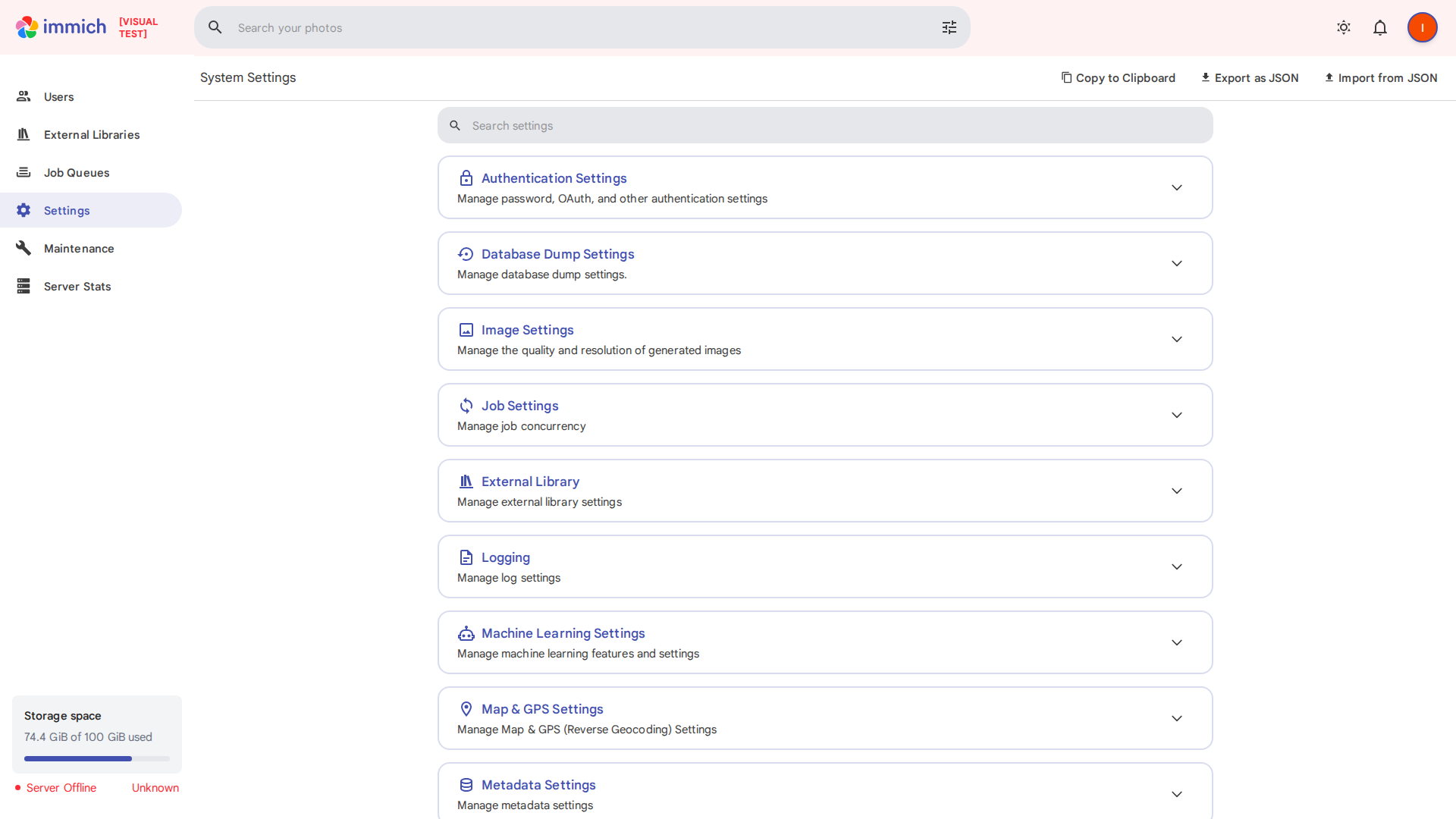 |  |
|
||||
|
||||
### admin-users
|
||||
|
||||
Change: **3.8%** (79,810 pixels)
|
||||
|
||||
| Base | PR | Diff |
|
||||
|------|-------|------|
|
||||
|  | 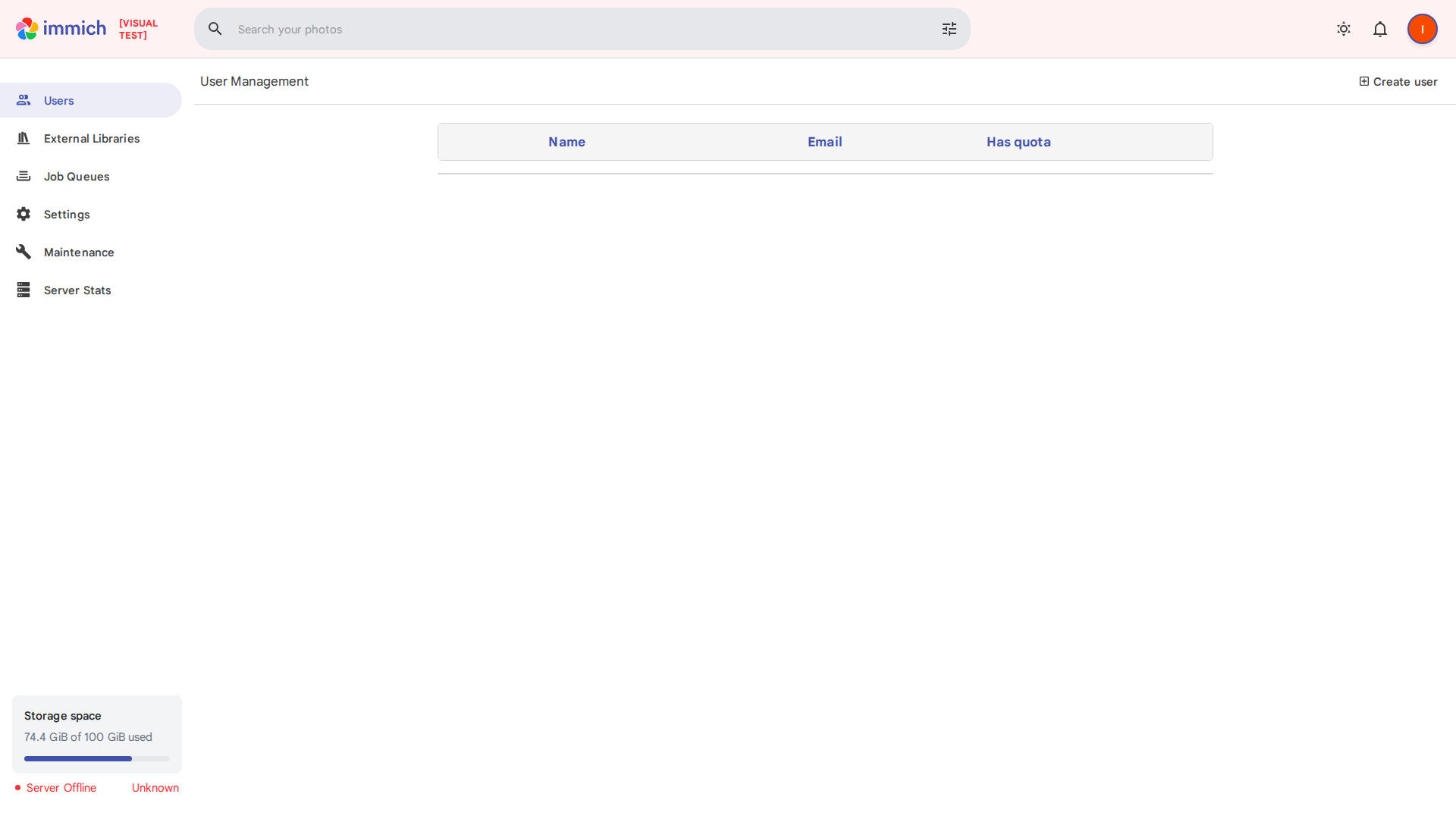 |  |
|
||||
|
||||
### albums-list
|
||||
|
||||
Change: **6.1%** (126,081 pixels)
|
||||
|
||||
| Base | PR | Diff |
|
||||
|------|-------|------|
|
||||
|  |  |  |
|
||||
|
||||
### archive
|
||||
|
||||
Change: **4.9%** (101,086 pixels)
|
||||
|
||||
| Base | PR | Diff |
|
||||
|------|-------|------|
|
||||
|  |  |  |
|
||||
|
||||
### explore
|
||||
|
||||
Change: **4.8%** (100,268 pixels)
|
||||
|
||||
| Base | PR | Diff |
|
||||
|------|-------|------|
|
||||
|  |  |  |
|
||||
|
||||
### favorites
|
||||
|
||||
Change: **31.7%** (657,589 pixels)
|
||||
|
||||
| Base | PR | Diff |
|
||||
|------|-------|------|
|
||||
|  |  |  |
|
||||
|
||||
### map
|
||||
|
||||
Change: **62.4%** (1,293,490 pixels)
|
||||
|
||||
| Base | PR | Diff |
|
||||
|------|-------|------|
|
||||
|  |  |  |
|
||||
|
||||
### people
|
||||
|
||||
Change: **0.4%** (7,907 pixels)
|
||||
|
||||
| Base | PR | Diff |
|
||||
|------|-------|------|
|
||||
|  |  |  |
|
||||
|
||||
### photos-timeline
|
||||
|
||||
Change: **55.4%** (1,149,491 pixels)
|
||||
|
||||
| Base | PR | Diff |
|
||||
|------|-------|------|
|
||||
|  |  |  |
|
||||
|
||||
### sharing
|
||||
|
||||
Change: **5.3%** (109,526 pixels)
|
||||
|
||||
| Base | PR | Diff |
|
||||
|------|-------|------|
|
||||
|  |  |  |
|
||||
|
||||
### trash
|
||||
|
||||
Change: **5.4%** (112,470 pixels)
|
||||
|
||||
| Base | PR | Diff |
|
||||
|------|-------|------|
|
||||
|  |  |  |
|
||||
|
||||
### user-settings
|
||||
|
||||
Change: **6.1%** (126,625 pixels)
|
||||
|
||||
| Base | PR | Diff |
|
||||
|------|-------|------|
|
||||
|  |  |  |
|
||||
|
||||
@@ -0,0 +1,134 @@
|
||||
[
|
||||
{
|
||||
"name": "admin-system-settings",
|
||||
"baseExists": true,
|
||||
"prExists": true,
|
||||
"diffPixels": 186690,
|
||||
"totalPixels": 2073600,
|
||||
"changePercent": 9.00318287037037,
|
||||
"diffImagePath": "/home/runner/work/immich/immich/screenshots/diff/admin-system-settings-diff.png",
|
||||
"baseImagePath": "/home/runner/work/immich/immich/screenshots/base/admin-system-settings.png",
|
||||
"prImagePath": "/home/runner/work/immich/immich/screenshots/pr/admin-system-settings.png"
|
||||
},
|
||||
{
|
||||
"name": "admin-users",
|
||||
"baseExists": true,
|
||||
"prExists": true,
|
||||
"diffPixels": 79810,
|
||||
"totalPixels": 2073600,
|
||||
"changePercent": 3.8488618827160495,
|
||||
"diffImagePath": "/home/runner/work/immich/immich/screenshots/diff/admin-users-diff.png",
|
||||
"baseImagePath": "/home/runner/work/immich/immich/screenshots/base/admin-users.png",
|
||||
"prImagePath": "/home/runner/work/immich/immich/screenshots/pr/admin-users.png"
|
||||
},
|
||||
{
|
||||
"name": "albums-list",
|
||||
"baseExists": true,
|
||||
"prExists": true,
|
||||
"diffPixels": 126081,
|
||||
"totalPixels": 2073600,
|
||||
"changePercent": 6.080295138888888,
|
||||
"diffImagePath": "/home/runner/work/immich/immich/screenshots/diff/albums-list-diff.png",
|
||||
"baseImagePath": "/home/runner/work/immich/immich/screenshots/base/albums-list.png",
|
||||
"prImagePath": "/home/runner/work/immich/immich/screenshots/pr/albums-list.png"
|
||||
},
|
||||
{
|
||||
"name": "archive",
|
||||
"baseExists": true,
|
||||
"prExists": true,
|
||||
"diffPixels": 101086,
|
||||
"totalPixels": 2073600,
|
||||
"changePercent": 4.874903549382716,
|
||||
"diffImagePath": "/home/runner/work/immich/immich/screenshots/diff/archive-diff.png",
|
||||
"baseImagePath": "/home/runner/work/immich/immich/screenshots/base/archive.png",
|
||||
"prImagePath": "/home/runner/work/immich/immich/screenshots/pr/archive.png"
|
||||
},
|
||||
{
|
||||
"name": "explore",
|
||||
"baseExists": true,
|
||||
"prExists": true,
|
||||
"diffPixels": 100268,
|
||||
"totalPixels": 2073600,
|
||||
"changePercent": 4.83545524691358,
|
||||
"diffImagePath": "/home/runner/work/immich/immich/screenshots/diff/explore-diff.png",
|
||||
"baseImagePath": "/home/runner/work/immich/immich/screenshots/base/explore.png",
|
||||
"prImagePath": "/home/runner/work/immich/immich/screenshots/pr/explore.png"
|
||||
},
|
||||
{
|
||||
"name": "favorites",
|
||||
"baseExists": true,
|
||||
"prExists": true,
|
||||
"diffPixels": 657589,
|
||||
"totalPixels": 2073600,
|
||||
"changePercent": 31.712432484567906,
|
||||
"diffImagePath": "/home/runner/work/immich/immich/screenshots/diff/favorites-diff.png",
|
||||
"baseImagePath": "/home/runner/work/immich/immich/screenshots/base/favorites.png",
|
||||
"prImagePath": "/home/runner/work/immich/immich/screenshots/pr/favorites.png"
|
||||
},
|
||||
{
|
||||
"name": "map",
|
||||
"baseExists": true,
|
||||
"prExists": true,
|
||||
"diffPixels": 1293490,
|
||||
"totalPixels": 2073600,
|
||||
"changePercent": 62.378954475308646,
|
||||
"diffImagePath": "/home/runner/work/immich/immich/screenshots/diff/map-diff.png",
|
||||
"baseImagePath": "/home/runner/work/immich/immich/screenshots/base/map.png",
|
||||
"prImagePath": "/home/runner/work/immich/immich/screenshots/pr/map.png"
|
||||
},
|
||||
{
|
||||
"name": "people",
|
||||
"baseExists": true,
|
||||
"prExists": true,
|
||||
"diffPixels": 7907,
|
||||
"totalPixels": 2073600,
|
||||
"changePercent": 0.38131751543209874,
|
||||
"diffImagePath": "/home/runner/work/immich/immich/screenshots/diff/people-diff.png",
|
||||
"baseImagePath": "/home/runner/work/immich/immich/screenshots/base/people.png",
|
||||
"prImagePath": "/home/runner/work/immich/immich/screenshots/pr/people.png"
|
||||
},
|
||||
{
|
||||
"name": "photos-timeline",
|
||||
"baseExists": true,
|
||||
"prExists": true,
|
||||
"diffPixels": 1149491,
|
||||
"totalPixels": 2073600,
|
||||
"changePercent": 55.43455825617284,
|
||||
"diffImagePath": "/home/runner/work/immich/immich/screenshots/diff/photos-timeline-diff.png",
|
||||
"baseImagePath": "/home/runner/work/immich/immich/screenshots/base/photos-timeline.png",
|
||||
"prImagePath": "/home/runner/work/immich/immich/screenshots/pr/photos-timeline.png"
|
||||
},
|
||||
{
|
||||
"name": "sharing",
|
||||
"baseExists": true,
|
||||
"prExists": true,
|
||||
"diffPixels": 109526,
|
||||
"totalPixels": 2073600,
|
||||
"changePercent": 5.281925154320987,
|
||||
"diffImagePath": "/home/runner/work/immich/immich/screenshots/diff/sharing-diff.png",
|
||||
"baseImagePath": "/home/runner/work/immich/immich/screenshots/base/sharing.png",
|
||||
"prImagePath": "/home/runner/work/immich/immich/screenshots/pr/sharing.png"
|
||||
},
|
||||
{
|
||||
"name": "trash",
|
||||
"baseExists": true,
|
||||
"prExists": true,
|
||||
"diffPixels": 112470,
|
||||
"totalPixels": 2073600,
|
||||
"changePercent": 5.423900462962963,
|
||||
"diffImagePath": "/home/runner/work/immich/immich/screenshots/diff/trash-diff.png",
|
||||
"baseImagePath": "/home/runner/work/immich/immich/screenshots/base/trash.png",
|
||||
"prImagePath": "/home/runner/work/immich/immich/screenshots/pr/trash.png"
|
||||
},
|
||||
{
|
||||
"name": "user-settings",
|
||||
"baseExists": true,
|
||||
"prExists": true,
|
||||
"diffPixels": 126625,
|
||||
"totalPixels": 2073600,
|
||||
"changePercent": 6.106529706790123,
|
||||
"diffImagePath": "/home/runner/work/immich/immich/screenshots/diff/user-settings-diff.png",
|
||||
"baseImagePath": "/home/runner/work/immich/immich/screenshots/base/user-settings.png",
|
||||
"prImagePath": "/home/runner/work/immich/immich/screenshots/pr/user-settings.png"
|
||||
}
|
||||
]
|
||||

|
After Width: | Height: | Size: 25 KiB |

|
After Width: | Height: | Size: 26 KiB |

|
After Width: | Height: | Size: 37 KiB |
@@ -1,78 +0,0 @@
|
||||
###################################################################################
|
||||
# Database
|
||||
###################################################################################
|
||||
|
||||
DB_HOSTNAME=immich_postgres
|
||||
DB_USERNAME=postgres
|
||||
DB_PASSWORD=postgres
|
||||
DB_DATABASE_NAME=immich
|
||||
|
||||
# Optional Database settings:
|
||||
# DB_PORT=5432
|
||||
|
||||
###################################################################################
|
||||
# Redis
|
||||
###################################################################################
|
||||
|
||||
REDIS_HOSTNAME=immich_redis
|
||||
|
||||
# Optional Redis settings:
|
||||
# REDIS_PORT=6379
|
||||
# REDIS_DBINDEX=0
|
||||
# REDIS_PASSWORD=
|
||||
# REDIS_SOCKET=
|
||||
|
||||
###################################################################################
|
||||
# Upload File Location
|
||||
#
|
||||
# This is the location where uploaded files are stored.
|
||||
###################################################################################
|
||||
|
||||
UPLOAD_LOCATION=absolute_location_on_your_machine_where_you_want_to_store_the_backup
|
||||
|
||||
###################################################################################
|
||||
# JWT SECRET
|
||||
#
|
||||
# This JWT_SECRET is used to sign the authentication keys for user login
|
||||
# You should set it to a long randomly generated value
|
||||
# You can use this command to generate one: openssl rand -base64 128
|
||||
###################################################################################
|
||||
|
||||
JWT_SECRET=
|
||||
|
||||
###################################################################################
|
||||
# Reverse Geocoding
|
||||
#
|
||||
# Reverse geocoding is done locally which has a small impact on memory usage
|
||||
# This memory usage can be altered by changing the REVERSE_GEOCODING_PRECISION variable
|
||||
# This ranges from 0-3 with 3 being the most precise
|
||||
# 3 - Cities > 500 population: ~200MB RAM
|
||||
# 2 - Cities > 1000 population: ~150MB RAM
|
||||
# 1 - Cities > 5000 population: ~80MB RAM
|
||||
# 0 - Cities > 15000 population: ~40MB RAM
|
||||
####################################################################################
|
||||
|
||||
# DISABLE_REVERSE_GEOCODING=false
|
||||
# REVERSE_GEOCODING_PRECISION=3
|
||||
|
||||
####################################################################################
|
||||
# WEB - Optional
|
||||
#
|
||||
# Custom message on the login page, should be written in HTML form.
|
||||
# For example:
|
||||
# PUBLIC_LOGIN_PAGE_MESSAGE="This is a demo instance of Immich.<br><br>Email: <i>demo@demo.de</i><br>Password: <i>demo</i>"
|
||||
####################################################################################
|
||||
|
||||
PUBLIC_LOGIN_PAGE_MESSAGE=
|
||||
|
||||
####################################################################################
|
||||
# Alternative Service Addresses - Optional
|
||||
#
|
||||
# This is an advanced feature for users who may be running their immich services on different hosts.
|
||||
# It will not change which address or port that services bind to within their containers, but it will change where other services look for their peers.
|
||||
# Note: immich-microservices is bound to 3002, but no references are made
|
||||
####################################################################################
|
||||
|
||||
IMMICH_WEB_URL=http://immich-web:3000
|
||||
IMMICH_SERVER_URL=http://immich-server:3001
|
||||
IMMICH_MACHINE_LEARNING_URL=http://immich-machine-learning:3003
|
||||
@@ -1,22 +0,0 @@
|
||||
# Database
|
||||
DB_HOSTNAME=immich-database-test
|
||||
DB_USERNAME=postgres
|
||||
DB_PASSWORD=postgres
|
||||
DB_DATABASE_NAME=e2e_test
|
||||
|
||||
# Redis
|
||||
REDIS_HOSTNAME=immich_redis_test
|
||||
|
||||
# Upload File Config
|
||||
UPLOAD_LOCATION=./upload
|
||||
|
||||
# JWT SECRET
|
||||
JWT_SECRET=randomstringthatissolongandpowerfulthatnoonecanguess
|
||||
|
||||
# MAPBOX
|
||||
## ENABLE_MAPBOX is either true of false -> if true, you have to provide MAPBOX_KEY
|
||||
ENABLE_MAPBOX=false
|
||||
|
||||
# WEB
|
||||
MAPBOX_KEY=
|
||||
VITE_SERVER_ENDPOINT=http://localhost:2283/api
|
||||
@@ -1 +0,0 @@
|
||||
.env
|
||||
@@ -1,126 +0,0 @@
|
||||
version: '3.8'
|
||||
|
||||
services:
|
||||
immich-server:
|
||||
container_name: immich_server
|
||||
image: immich-server-dev:latest
|
||||
build:
|
||||
context: ../server
|
||||
dockerfile: Dockerfile
|
||||
target: builder
|
||||
command: npm run start:debug immich
|
||||
volumes:
|
||||
- ../server:/usr/src/app
|
||||
- ${UPLOAD_LOCATION}:/usr/src/app/upload
|
||||
- /usr/src/app/node_modules
|
||||
ports:
|
||||
- 9230:9230
|
||||
env_file:
|
||||
- .env
|
||||
environment:
|
||||
- NODE_ENV=development
|
||||
depends_on:
|
||||
- redis
|
||||
- database
|
||||
|
||||
immich-machine-learning:
|
||||
container_name: immich_machine_learning
|
||||
image: immich-machine-learning-dev:latest
|
||||
build:
|
||||
context: ../machine-learning
|
||||
dockerfile: Dockerfile
|
||||
target: builder
|
||||
command: npm run start:dev
|
||||
volumes:
|
||||
- ../machine-learning:/usr/src/app
|
||||
- ${UPLOAD_LOCATION}:/usr/src/app/upload
|
||||
- /usr/src/app/node_modules
|
||||
env_file:
|
||||
- .env
|
||||
environment:
|
||||
- NODE_ENV=development
|
||||
depends_on:
|
||||
- database
|
||||
|
||||
immich-microservices:
|
||||
container_name: immich_microservices
|
||||
image: immich-microservices:latest
|
||||
build:
|
||||
context: ../server
|
||||
dockerfile: Dockerfile
|
||||
target: builder
|
||||
command: npm run start:dev microservices
|
||||
volumes:
|
||||
- ../server:/usr/src/app
|
||||
- ${UPLOAD_LOCATION}:/usr/src/app/upload
|
||||
- /usr/src/app/node_modules
|
||||
env_file:
|
||||
- .env
|
||||
environment:
|
||||
- NODE_ENV=development
|
||||
depends_on:
|
||||
- database
|
||||
- immich-server
|
||||
|
||||
immich-web:
|
||||
container_name: immich_web
|
||||
image: immich-web-dev:1.9.0
|
||||
build:
|
||||
context: ../web
|
||||
dockerfile: Dockerfile
|
||||
target: dev
|
||||
command: npm run dev --host
|
||||
env_file:
|
||||
- .env
|
||||
environment:
|
||||
# Rename these values for svelte public interface
|
||||
- PUBLIC_IMMICH_SERVER_URL=${IMMICH_SERVER_URL}
|
||||
ports:
|
||||
- 3000:3000
|
||||
- 24678:24678
|
||||
volumes:
|
||||
- ../web:/usr/src/app
|
||||
- /usr/src/app/node_modules
|
||||
restart: always
|
||||
depends_on:
|
||||
- immich-server
|
||||
|
||||
redis:
|
||||
container_name: immich_redis
|
||||
image: redis:6.2
|
||||
|
||||
database:
|
||||
container_name: immich_postgres
|
||||
image: postgres:14
|
||||
env_file:
|
||||
- .env
|
||||
environment:
|
||||
POSTGRES_PASSWORD: ${DB_PASSWORD}
|
||||
POSTGRES_USER: ${DB_USERNAME}
|
||||
POSTGRES_DB: ${DB_DATABASE_NAME}
|
||||
PG_DATA: /var/lib/postgresql/data
|
||||
volumes:
|
||||
- pgdata:/var/lib/postgresql/data
|
||||
ports:
|
||||
- 5432:5432
|
||||
|
||||
immich-proxy:
|
||||
container_name: immich_proxy
|
||||
image: immich-proxy-dev:latest
|
||||
environment:
|
||||
# Make sure these values get passed through from the env file
|
||||
- IMMICH_SERVER_URL
|
||||
- IMMICH_WEB_URL
|
||||
build:
|
||||
context: ../nginx
|
||||
dockerfile: Dockerfile
|
||||
ports:
|
||||
- 2283:8080
|
||||
logging:
|
||||
driver: none
|
||||
depends_on:
|
||||
- immich-server
|
||||
restart: always
|
||||
|
||||
volumes:
|
||||
pgdata:
|
||||
@@ -1,94 +0,0 @@
|
||||
version: "3.8"
|
||||
|
||||
services:
|
||||
immich-server:
|
||||
container_name: immich_server
|
||||
image: altran1502/immich-server:staging
|
||||
entrypoint: ["/bin/sh", "./start-server.sh"]
|
||||
volumes:
|
||||
- ${UPLOAD_LOCATION}:/usr/src/app/upload
|
||||
env_file:
|
||||
- .env
|
||||
environment:
|
||||
- NODE_ENV=production
|
||||
depends_on:
|
||||
- redis
|
||||
- database
|
||||
restart: always
|
||||
|
||||
immich-microservices:
|
||||
container_name: immich_microservices
|
||||
image: altran1502/immich-server:staging
|
||||
entrypoint: ["/bin/sh", "./start-microservices.sh"]
|
||||
volumes:
|
||||
- ${UPLOAD_LOCATION}:/usr/src/app/upload
|
||||
env_file:
|
||||
- .env
|
||||
environment:
|
||||
- NODE_ENV=production
|
||||
depends_on:
|
||||
- redis
|
||||
- database
|
||||
restart: always
|
||||
|
||||
immich-machine-learning:
|
||||
container_name: immich_machine_learning
|
||||
image: altran1502/immich-machine-learning:staging
|
||||
entrypoint: ["/bin/sh", "./entrypoint.sh"]
|
||||
volumes:
|
||||
- ${UPLOAD_LOCATION}:/usr/src/app/upload
|
||||
env_file:
|
||||
- .env
|
||||
environment:
|
||||
- NODE_ENV=production
|
||||
depends_on:
|
||||
- database
|
||||
restart: always
|
||||
|
||||
immich-web:
|
||||
container_name: immich_web
|
||||
image: altran1502/immich-web:staging
|
||||
entrypoint: ["/bin/sh", "./entrypoint.sh"]
|
||||
env_file:
|
||||
- .env
|
||||
environment:
|
||||
# Rename these values for svelte public interface
|
||||
- PUBLIC_IMMICH_SERVER_URL=${IMMICH_SERVER_URL}
|
||||
restart: always
|
||||
|
||||
redis:
|
||||
container_name: immich_redis
|
||||
image: redis:6.2
|
||||
restart: always
|
||||
|
||||
database:
|
||||
container_name: immich_postgres
|
||||
image: postgres:14
|
||||
env_file:
|
||||
- .env
|
||||
environment:
|
||||
POSTGRES_PASSWORD: ${DB_PASSWORD}
|
||||
POSTGRES_USER: ${DB_USERNAME}
|
||||
POSTGRES_DB: ${DB_DATABASE_NAME}
|
||||
PG_DATA: /var/lib/postgresql/data
|
||||
volumes:
|
||||
- pgdata:/var/lib/postgresql/data
|
||||
restart: always
|
||||
|
||||
immich-proxy:
|
||||
container_name: immich_proxy
|
||||
image: altran1502/immich-proxy:staging
|
||||
environment:
|
||||
# Make sure these values get passed through from the env file
|
||||
- IMMICH_SERVER_URL
|
||||
- IMMICH_WEB_URL
|
||||
ports:
|
||||
- 2283:8080
|
||||
logging:
|
||||
driver: none
|
||||
depends_on:
|
||||
- immich-server
|
||||
restart: always
|
||||
|
||||
volumes:
|
||||
pgdata:
|
||||
@@ -1,46 +0,0 @@
|
||||
version: '3.8'
|
||||
|
||||
services:
|
||||
immich-server-test:
|
||||
image: immich-server-test
|
||||
build:
|
||||
context: ../server
|
||||
dockerfile: Dockerfile
|
||||
target: builder
|
||||
command: npm run test:e2e
|
||||
expose:
|
||||
- '3000'
|
||||
volumes:
|
||||
- ../server:/usr/src/app
|
||||
- /usr/src/app/node_modules
|
||||
env_file:
|
||||
- .env.test
|
||||
environment:
|
||||
- NODE_ENV=development
|
||||
depends_on:
|
||||
- immich-redis-test
|
||||
- immich-database-test
|
||||
networks:
|
||||
- immich-test-network
|
||||
immich-redis-test:
|
||||
container_name: immich-redis-test
|
||||
image: redis:6.2
|
||||
networks:
|
||||
- immich-test-network
|
||||
immich-database-test:
|
||||
container_name: immich-database-test
|
||||
image: postgres:14
|
||||
env_file:
|
||||
- .env.test
|
||||
environment:
|
||||
POSTGRES_PASSWORD: ${DB_PASSWORD}
|
||||
POSTGRES_USER: ${DB_USERNAME}
|
||||
POSTGRES_DB: ${DB_DATABASE_NAME}
|
||||
PG_DATA: /var/lib/postgresql/data
|
||||
volumes:
|
||||
- /var/lib/postgresql/data
|
||||
networks:
|
||||
- immich-test-network
|
||||
|
||||
networks:
|
||||
immich-test-network:
|
||||
@@ -1,94 +0,0 @@
|
||||
version: "3.8"
|
||||
|
||||
services:
|
||||
immich-server:
|
||||
container_name: immich_server
|
||||
image: altran1502/immich-server:release
|
||||
entrypoint: ["/bin/sh", "./start-server.sh"]
|
||||
volumes:
|
||||
- ${UPLOAD_LOCATION}:/usr/src/app/upload
|
||||
env_file:
|
||||
- .env
|
||||
environment:
|
||||
- NODE_ENV=production
|
||||
depends_on:
|
||||
- redis
|
||||
- database
|
||||
restart: always
|
||||
|
||||
immich-microservices:
|
||||
container_name: immich_microservices
|
||||
image: altran1502/immich-server:release
|
||||
entrypoint: ["/bin/sh", "./start-microservices.sh"]
|
||||
volumes:
|
||||
- ${UPLOAD_LOCATION}:/usr/src/app/upload
|
||||
env_file:
|
||||
- .env
|
||||
environment:
|
||||
- NODE_ENV=production
|
||||
depends_on:
|
||||
- redis
|
||||
- database
|
||||
restart: always
|
||||
|
||||
immich-machine-learning:
|
||||
container_name: immich_machine_learning
|
||||
image: altran1502/immich-machine-learning:release
|
||||
entrypoint: ["/bin/sh", "./entrypoint.sh"]
|
||||
volumes:
|
||||
- ${UPLOAD_LOCATION}:/usr/src/app/upload
|
||||
env_file:
|
||||
- .env
|
||||
environment:
|
||||
- NODE_ENV=production
|
||||
depends_on:
|
||||
- database
|
||||
restart: always
|
||||
|
||||
immich-web:
|
||||
container_name: immich_web
|
||||
image: altran1502/immich-web:release
|
||||
entrypoint: ["/bin/sh", "./entrypoint.sh"]
|
||||
env_file:
|
||||
- .env
|
||||
environment:
|
||||
# Rename these values for svelte public interface
|
||||
- PUBLIC_IMMICH_SERVER_URL=${IMMICH_SERVER_URL}
|
||||
restart: always
|
||||
|
||||
redis:
|
||||
container_name: immich_redis
|
||||
image: redis:6.2
|
||||
restart: always
|
||||
|
||||
database:
|
||||
container_name: immich_postgres
|
||||
image: postgres:14
|
||||
env_file:
|
||||
- .env
|
||||
environment:
|
||||
POSTGRES_PASSWORD: ${DB_PASSWORD}
|
||||
POSTGRES_USER: ${DB_USERNAME}
|
||||
POSTGRES_DB: ${DB_DATABASE_NAME}
|
||||
PG_DATA: /var/lib/postgresql/data
|
||||
volumes:
|
||||
- pgdata:/var/lib/postgresql/data
|
||||
restart: always
|
||||
|
||||
immich-proxy:
|
||||
container_name: immich_proxy
|
||||
image: altran1502/immich-proxy:release
|
||||
environment:
|
||||
# Make sure these values get passed through from the env file
|
||||
- IMMICH_SERVER_URL
|
||||
- IMMICH_WEB_URL
|
||||
ports:
|
||||
- 2283:8080
|
||||
logging:
|
||||
driver: none
|
||||
depends_on:
|
||||
- immich-server
|
||||
restart: always
|
||||
|
||||
volumes:
|
||||
pgdata:
|
||||
@@ -1,21 +0,0 @@
|
||||
# Dependencies
|
||||
/node_modules
|
||||
|
||||
# Production
|
||||
/build
|
||||
|
||||
# Generated files
|
||||
.docusaurus
|
||||
.cache-loader
|
||||
|
||||
# Misc
|
||||
.DS_Store
|
||||
.env.local
|
||||
.env.development.local
|
||||
.env.test.local
|
||||
.env.production.local
|
||||
|
||||
npm-debug.log*
|
||||
yarn-debug.log*
|
||||
yarn-error.log*
|
||||
yarn.lock
|
||||
@@ -1,41 +0,0 @@
|
||||
# Website
|
||||
|
||||
This website is built using [Docusaurus 2](https://docusaurus.io/), a modern static website generator.
|
||||
|
||||
### Installation
|
||||
|
||||
```
|
||||
$ yarn
|
||||
```
|
||||
|
||||
### Local Development
|
||||
|
||||
```
|
||||
$ yarn start
|
||||
```
|
||||
|
||||
This command starts a local development server and opens up a browser window. Most changes are reflected live without having to restart the server.
|
||||
|
||||
### Build
|
||||
|
||||
```
|
||||
$ yarn build
|
||||
```
|
||||
|
||||
This command generates static content into the `build` directory and can be served using any static contents hosting service.
|
||||
|
||||
### Deployment
|
||||
|
||||
Using SSH:
|
||||
|
||||
```
|
||||
$ USE_SSH=true yarn deploy
|
||||
```
|
||||
|
||||
Not using SSH:
|
||||
|
||||
```
|
||||
$ GIT_USER=<Your GitHub username> yarn deploy
|
||||
```
|
||||
|
||||
If you are using GitHub pages for hosting, this command is a convenient way to build the website and push to the `gh-pages` branch.
|
||||
@@ -1,3 +0,0 @@
|
||||
module.exports = {
|
||||
presets: [require.resolve('@docusaurus/core/lib/babel/preset')],
|
||||
};
|
||||
@@ -1,5 +0,0 @@
|
||||
alextran:
|
||||
name: Alex Tran
|
||||
title: Maintainer of Immich
|
||||
url: https://github.com/alextran1502
|
||||
image_url: https://github.com/alextran1502.png
|
||||
@@ -1,114 +0,0 @@
|
||||
---
|
||||
slug: release-1-36
|
||||
title: Release v1.36.0
|
||||
authors: [alextran]
|
||||
tags: [release]
|
||||
date: 2022-11-10
|
||||
---
|
||||
|
||||
Hello everyone, it is my pleasure to deliver the new release of Immich to you. The team has been working hard to bring you the new features and improvements. This release includes some big features that the community has been asking since the beginning of Immich. We hope you will enjoy it.
|
||||
|
||||
Some notable features are:
|
||||
|
||||
- [OAuth integration](#livephoto-ios-support-)
|
||||
- [LivePhoto support on iOS](#oauth-integration-)
|
||||
- User config system
|
||||
|
||||
<!--truncate-->
|
||||
|
||||
## LivePhoto iOS Support 🎉
|
||||
|
||||
LivePhoto on iOS is now supported in Immich.
|
||||
|
||||
The motion part will now be uploaded and can be played on the mobile app and the web.
|
||||
|
||||
:::caution
|
||||
|
||||
- The server and the app has to be on version **1.36.x** for the application to work correctly.
|
||||
- Previous uploaded photos will not be updated automatically, you will have to remove and reupload them if you want to keep the LivePhoto functionality.
|
||||
|
||||
:::
|
||||
|
||||
<img
|
||||
src="https://media.giphy.com/media/fTrGceZd7t1ewi8ESc/giphy.gif"
|
||||
width="100%"
|
||||
style={{
|
||||
borderRadius: "10px",
|
||||
boxShadow:
|
||||
"rgba(9, 30, 66, 0.25) 0px 1px 1px, rgba(9, 30, 66, 0.13) 0px 0px 1px 1px",
|
||||
}}
|
||||
title="LivePhoto playback on the web"
|
||||
/>
|
||||
|
||||
## OAuth Integration 🎉
|
||||
|
||||
I want to borrow this chance to express my gratitude to [@EnricoBilla](https://github.com/EnricoBilla), who has been the trailblazer for this feature since the beginning days of Immich. His PR has sparked ideas, suggestions, and discussion among the team member on how to integrate this feature successfully into the app. Thank you so much for your work and your time.
|
||||
|
||||
OAuth is now integrated into the system. Please follow the guide [here](https://immich.app/docs/usage/oauth) to set up your OAuth integration
|
||||
|
||||
After setting up the correct environment variables in the `.env` file, as shown below
|
||||
|
||||
| Key | Type | Default | Description |
|
||||
| ------------------- | ------- | -------------------- | ------------------------------------------------------------------------- |
|
||||
| OAUTH_ENABLED | boolean | false | Enable/disable OAuth2 |
|
||||
| OAUTH_ISSUER_URL | URL | (required) | Required. Self-discovery URL for client |
|
||||
| OAUTH_CLIENT_ID | string | (required) | Required. Client ID |
|
||||
| OAUTH_CLIENT_SECRET | string | (required) | Required. Client Secret |
|
||||
| OAUTH_SCOPE | string | openid email profile | Full list of scopes to send with the request (space delimited) |
|
||||
| OAUTH_AUTO_REGISTER | boolean | true | When true, will automatically register a user the first time they sign in |
|
||||
| OAUTH_BUTTON_TEXT | string | Login with OAuth | Text for the OAuth button on the web |
|
||||
|
||||
```bash title="Authentik Example"
|
||||
OAUTH_ENABLED=true
|
||||
OAUTH_ISSUER_URL=http://10.1.15.216:9000/application/o/immich-test/
|
||||
OAUTH_CLIENT_ID=30596v8f78a4b6a97d5985c3076b6b4c4d12ddc33
|
||||
OAUTH_CLIENT_SECRET=50f1eafdec353b95b1c638db390db4ab67ef035a51212dbec2f56175e2eb272b5d572c099176e6fe116ecf47ffdd544bgdb9e2edc588307ee0339d25eeccd88
|
||||
OAUTH_BUTTON_TEXT=Login with Authentik
|
||||
```
|
||||
|
||||
The web will have the option to sign in with OAuth.
|
||||
|
||||
<img
|
||||
src="https://user-images.githubusercontent.com/27055614/202923726-f43fa148-47f5-4182-8f29-b0b87e4586fa.png"
|
||||
width="50%"
|
||||
title="Web Sign in with OAuth"
|
||||
style={{
|
||||
borderRadius: "10px",
|
||||
boxShadow:
|
||||
"rgba(9, 30, 66, 0.25) 0px 1px 1px, rgba(9, 30, 66, 0.13) 0px 0px 1px 1px",
|
||||
}}
|
||||
/>
|
||||
|
||||
The mobile app will check if the server has OAuth enabled before displaying the OAuth
|
||||
sign-in button.
|
||||
|
||||
<img
|
||||
src="https://media.giphy.com/media/3iy3SaNkVYtlkEiw06/giphy.gif"
|
||||
title="Mobile sign in with OAuth"
|
||||
style={{
|
||||
borderRadius: "10px",
|
||||
boxShadow:
|
||||
"rgba(9, 30, 66, 0.25) 0px 1px 1px, rgba(9, 30, 66, 0.13) 0px 0px 1px 1px",
|
||||
}}
|
||||
/>
|
||||
|
||||
## Support
|
||||
|
||||
<img
|
||||
src="https://media.giphy.com/media/LStqgGESXW8XnuCv5y/giphy.gif"
|
||||
width="300"
|
||||
style={{
|
||||
borderRadius: "10px",
|
||||
boxShadow:
|
||||
"rgba(9, 30, 66, 0.25) 0px 1px 1px, rgba(9, 30, 66, 0.13) 0px 0px 1px 1px",
|
||||
}}
|
||||
title="Support the project"
|
||||
/>
|
||||
|
||||
If you find the project helpful and it helps you in some ways, you can support the project [one time](https://github.com/sponsors/alextran1502?frequency=one-time&sponsor=alextran1502) or [monthly](https://github.com/sponsors/alextran1502) from GitHub Sponsor
|
||||
|
||||
It is a great way to let me know that you want me to continue developing and working on this project for years to come.
|
||||
|
||||
## Details
|
||||
|
||||
For more details, please check out the [release note](https://github.com/immich-app/immich/releases/tag/v1.36.0_55-dev)
|
||||
@@ -1,60 +0,0 @@
|
||||
---
|
||||
sidebar_position: 6
|
||||
---
|
||||
|
||||
# FAQ
|
||||
|
||||
### What is the difference between the cloud icon on the mobile app?
|
||||
|
||||
| Icon | Description |
|
||||
| ---------------------------------- | ----------------------------------------------------------------------------------------------------------------------------------------------- |
|
||||
|  | Asset is only available in the cloud and was uploaded from some other device (like the web client) or was deleted from this device after upload |
|
||||
|  | Asset is only available locally and has not yet been backed up |
|
||||
|  | Asset was uploaded from this device and is now backed up in the cloud/server and still available in original on the device |
|
||||
|
||||
### How can I sync an existing directory with Immich's server?
|
||||
|
||||
Immich doesn't have the mechanism to sync an existing directory with the server. There is however, a helper CLI tool to help you bulk upload the existing photos and videos to the server. You can find the guide to use the CLI tool [here](/docs/features/bulk-upload.md).
|
||||
|
||||
### Why doesn't Immich watch an existing photo gallery directory?
|
||||
|
||||
The initial approach of Immich is to become a backup tool, primarily for mobile device usage. Thus, all the assets must be uploaded from the mobile client. The app was architectured to perform that job well.
|
||||
|
||||
### What happens to existing files after I choose a new [Storage Template](/docs/features/storage-template.mdx)?
|
||||
|
||||
Template changes will only apply to new assets. To retroactively apply the template to previously uploaded assets, run the Storage Migration Job, available on the [Jobs](/docs/features/jobs.md) page.
|
||||
|
||||
### Why is object detection not very good?
|
||||
|
||||
The model we used for machine learning is a prebuilt model, so the accuracy is not very good. It will hopefully be replaced with a better solution in the future.
|
||||
|
||||
### How can I see Immich logs?
|
||||
|
||||
Most Immich components are typically deployed using docker. To see logs for deployed docker containers, you can use the [Docker CLI](https://docs.docker.com/engine/reference/commandline/cli/), specifically the `docker logs` command. For examples, see [Docker Help](/docs/guides/docker-help.md)
|
||||
|
||||
### How can I run Immich as a non-root user?
|
||||
|
||||
1. Set the `PUID`/`PGID` environment variables (in `.env`).
|
||||
2. Set the corresponding `user` argument in `docker-compose` for each service.
|
||||
3. Add an additional volume to `immich-microservices` that mounts internally to `/usr/src/app/.reverse-geocoding-dump`.
|
||||
|
||||
The non-root user/group needs will need read/write access to the volume mounts, including `UPLOAD_LOCATION`.
|
||||
|
||||
### How can I reset the admin password?
|
||||
|
||||
The admin password can be reset by running the [reset-admin-password](/docs/features/server-commands.md) command on the immich-server.
|
||||
|
||||
### How can I **purge** data from Immich?
|
||||
|
||||
Data for Immich comes in two forms:
|
||||
|
||||
1. **Metadata** stored in a postgres database, persisted via the `pg_data` volume
|
||||
2. **Files** (originals, thumbs, profile, etc.), stored in the `UPLOAD_LOCATION` folder.
|
||||
|
||||
To remove the **Metadata** you can stop Immich and delete the volume.
|
||||
|
||||
```bash title="Remove Immich (containers and volumes)"
|
||||
docker-compose down -v
|
||||
```
|
||||
|
||||
After removing the the containers and volumes, the **Files** can be cleaned up (if necessary) from the `UPLOAD_LOCATION` by simply deleting an unwanted files or folders.
|
||||
@@ -1,4 +0,0 @@
|
||||
{
|
||||
"label": "Developer",
|
||||
"position": 4
|
||||
}
|
||||
@@ -1,39 +0,0 @@
|
||||
---
|
||||
sidebar_position: 1
|
||||
---
|
||||
|
||||
# Architecture
|
||||
|
||||
## High Level Diagram
|
||||
|
||||

|
||||
|
||||
## Technology
|
||||
|
||||
Immich is a full-stack [TypeScript](https://www.typescriptlang.org/) application, with a [Flutter](https://flutter.dev/) mobile app.
|
||||
|
||||
### Mobile
|
||||
|
||||
- [Flutter](https://flutter.dev/)
|
||||
- [Riverpod](https://riverpod.dev/) for state management.
|
||||
|
||||
### Web
|
||||
|
||||
- [SvelteKit](https://kit.svelte.dev/)
|
||||
- [tailwindcss](https://tailwindcss.com/)
|
||||
|
||||
### Server
|
||||
|
||||
- [Node.js](https://nodejs.org/)
|
||||
- [Nest.js](https://nestjs.com/)
|
||||
- [TypeORM](https://typeorm.io/) for database management.
|
||||
- [Jest](https://jestjs.io/) for testing.
|
||||
|
||||
### Database
|
||||
|
||||
- [PostgreSQL](https://www.postgresql.org/)
|
||||
- [Redis](https://redis.io/) for job queuing.
|
||||
|
||||
### Web Server
|
||||
|
||||
- [NGINX](https://www.nginx.com/) for internal communication between containers and load balancing when scaling.
|
||||

|
Before Width: | Height: | Size: 691 KiB |
@@ -1,7 +0,0 @@
|
||||
---
|
||||
sidebar_position: 5
|
||||
---
|
||||
|
||||
# Open API
|
||||
|
||||
Immich uses the [Open API](https://swagger.io/specification/) standard to generate API documentation. To view the published docs see [here](/docs/api).
|
||||
@@ -1,106 +0,0 @@
|
||||
---
|
||||
sidebar_position: 2
|
||||
---
|
||||
|
||||
# Setup
|
||||
|
||||
## Environment
|
||||
|
||||
### Server and web app
|
||||
|
||||
This environment includes the following services:
|
||||
|
||||
- Core server - `/server/apps/immich`
|
||||
- Machine learning - `/machine-learning`
|
||||
- Microservices - `/server/apps/microservicess`
|
||||
- Web app - `/web`
|
||||
- Redis
|
||||
- PostgreSQL development database with exposed port `5432` so you can use any database client to acess it
|
||||
- NGINX Proxy - `nginx/nginx.conf`
|
||||
|
||||
All the services are packaged to run as with single Docker Compose command.
|
||||
|
||||
### Instructions
|
||||
|
||||
1. Clone the project repo.
|
||||
2. Run `cp docker/.env.example docker/.env`.
|
||||
3. Edit `docker/.env` to provide values for the required variables `UPLOAD_LOCATION` and `JWT_SECRET`.
|
||||
4. From the root directory, run:
|
||||
|
||||
```bash title="Start development server"
|
||||
make dev # required Makefile installed on the system.
|
||||
```
|
||||
|
||||
5. Access the dev instance in your browser at http://localhost:2283, or connect via the mobile app.
|
||||
|
||||
All the services will be started with hot-reloading enabled for a quick feedback loop.
|
||||
|
||||
You can access the web from `http://your-machine-ip:2283` or `http://localhost:2283` and access the server from the mobile app at `http://your-machine-ip:2283/api`
|
||||
|
||||
### Mobile app
|
||||
|
||||
The mobile app `(/mobile)` will required Flutter toolchain to be installed on your system.
|
||||
|
||||
Please refer to the [Flutter's official documentation](https://flutter.dev/docs/get-started/install) for more information on setting up the toolchain on your machine.
|
||||
|
||||
## IDE setup
|
||||
|
||||
### Lint / format extensions
|
||||
|
||||
Setting these in the IDE give a better developer experience, auto-formatting code on save, and providing instant feedback on lint issues.
|
||||
|
||||
### VSCode
|
||||
|
||||
Install `Flutter`, `Prettier`, `ESLint` and `Svelte` extensions.
|
||||
|
||||
in User `settings.json` (`cmd + shift + p` and search for `Open User Settings JSON`) add the following:
|
||||
|
||||
```json title="settings.json"
|
||||
{
|
||||
"editor.formatOnSave": true,
|
||||
"[javascript][typescript][css]": {
|
||||
"editor.defaultFormatter": "esbenp.prettier-vscode",
|
||||
"editor.tabSize": 2,
|
||||
"editor.formatOnSave": true
|
||||
},
|
||||
"[svelte]": {
|
||||
"editor.defaultFormatter": "svelte.svelte-vscode",
|
||||
"editor.tabSize": 2
|
||||
},
|
||||
"svelte.enable-ts-plugin": true,
|
||||
"eslint.validate": ["javascript", "svelte"],
|
||||
"[dart]": {
|
||||
"editor.formatOnSave": true,
|
||||
"editor.selectionHighlight": false,
|
||||
"editor.suggest.snippetsPreventQuickSuggestions": false,
|
||||
"editor.suggestSelection": "first",
|
||||
"editor.tabCompletion": "onlySnippets",
|
||||
"editor.wordBasedSuggestions": false,
|
||||
"editor.defaultFormatter": "Dart-Code.dart-code"
|
||||
}
|
||||
}
|
||||
```
|
||||
|
||||
## OpenAPI generator
|
||||
|
||||
OpenAPI is used to generate the client (Typescript, Dart) SDK. `openapi-generator-cli` can be installed [here](https://openapi-generator.tech/docs/installation/). When you add a new or modify an existing endpoint, you must run the command below to update the client SDK.
|
||||
|
||||
```bash
|
||||
npm run api:generate # Run from the `server` directory
|
||||
```
|
||||
|
||||
You can find the generated client SDK in the `web/src/api` for Typescript SDK and `mobile/openapi` for Dart SDK.
|
||||
|
||||
## Database migrations
|
||||
|
||||
After making any changes in the `server/libs/database/src/entities`, a database migration need to run in order to register the changes in the database. Follow the steps below to create a new migration.
|
||||
|
||||
1. Attached to the server container shell.
|
||||
2. Run
|
||||
|
||||
```bash
|
||||
npm run typeorm -- migration:generate ./libs/database/src/<migration-name> -d libs/database/src/config/database.config.ts
|
||||
```
|
||||
|
||||
3. Check if the migration file makes sense.
|
||||
4. Move the migration file to folder `server/libs/database/src/migrations` in your code editor.
|
||||
@@ -1,4 +0,0 @@
|
||||
{
|
||||
"label": "Features",
|
||||
"position": 3
|
||||
}
|
||||
@@ -1,36 +0,0 @@
|
||||
# Automatic Backup
|
||||
|
||||
A guide on how the foreground and background automatic backup works.
|
||||
|
||||
<img src={require('./img/background-foreground-backup.png').default} width="50%" title="Foreground&Background Backup" />
|
||||
|
||||
On iOS, there is only one option for automatic backup
|
||||
|
||||
- [Automatic Backup](#automatic-backup)
|
||||
- [Foreground backup](#foreground-backup)
|
||||
|
||||
On Android, there are two options for automatic backup
|
||||
|
||||
- [Automatic Backup](#automatic-backup)
|
||||
- [Foreground backup](#foreground-backup)
|
||||
- [Background backup](#background-backup)
|
||||
|
||||
## Foreground backup
|
||||
|
||||
If foreground backup is enabled: whenever the app is opened or resumed, it will check if any photos or videos in the selected album(s) have yet to be uploaded to the cloud (the remainder count). If there are any, they will be uploaded.
|
||||
|
||||
## Background backup
|
||||
|
||||
Background backup is only available on Android thanks to the contribution effort of [@zoodyy](https://github.com/zoodyy).
|
||||
|
||||
If background backup is enabled. The app will periodically check if there are any new photos or videos in the selected album(s) to be uploaded to the cloud. If there are, it will upload them to the cloud in the background.
|
||||
|
||||
A native Android notification shows up when the background upload is in progress. You can further customize the notification by going to the app's settings.
|
||||
|
||||
:::info Note
|
||||
|
||||
- The app must be in the background for the backup worker to start running.
|
||||
- It is a well-known problem that some Android models are very strict with battery optimization settings, which can cause a problem with the background worker. Please visit [Don't kill my app](https://dontkillmyapp.com/) for a guide on disabling this setting on your phone.
|
||||
- If you reopen the app and the first page you see is the backup page, the counts will not reflect the background uploaded result. You have to navigate out of the page and come back to see the updated counts.
|
||||
|
||||
:::
|
||||
@@ -1,72 +0,0 @@
|
||||
# Bulk Upload (Using the CLI)
|
||||
|
||||
You can use the CLI to upload an existing gallery to the Immich server
|
||||
|
||||
[Immich CLI Repository](https://github.com/immich-app/CLI)
|
||||
|
||||
## Requirements
|
||||
|
||||
- Node.js 16 or above
|
||||
- Npm
|
||||
|
||||
## Installation
|
||||
|
||||
```bash
|
||||
npm i -g immich
|
||||
```
|
||||
|
||||
## Quick Start
|
||||
|
||||
Specify user's credentials, Immich's server address and port, and the directory you would like to upload videos/photos from.
|
||||
|
||||
```bash
|
||||
immich upload --email testuser@email.com --password password --server http://192.168.1.216:2283/api -d your/target/directory
|
||||
```
|
||||
|
||||
---
|
||||
|
||||
### Parameters
|
||||
|
||||
| Parameter | Description |
|
||||
| ---------------- | ------------------------------------------------------------------- |
|
||||
| --yes / -y | Assume yes on all interactive prompts |
|
||||
| --delete / -da | Delete local assets after upload |
|
||||
| --email / -e | User's email |
|
||||
| --password / -pw | User's password |
|
||||
| --server / -s | Immich's server address |
|
||||
| --directory / -d | Directory to upload from |
|
||||
| --threads / -t | Number of threads to use (Default 5) |
|
||||
| --album/ -al | Create albums for assets based on the parent folder or a given name |
|
||||
|
||||
### Run via Docker
|
||||
|
||||
Be aware that as this runs inside a container it mounts your current directory as a volume, and for the -d flag you need to use the path inside the container.
|
||||
|
||||
```bash
|
||||
docker run -it --rm -v $(pwd):/import ghcr.io/immich-app/immich-cli:latest upload --email testuser@email.com --password password --server http://192.168.1.216:2283/api -d /import
|
||||
```
|
||||
|
||||
Optionally, you can create an alias:
|
||||
|
||||
```bash
|
||||
alias immich="docker run -it --rm -v $(pwd):/import ghcr.io/immich-app/immich-cli:latest"
|
||||
immich upload --email testuser@email.com --password password --server http://192.168.1.216:2283/api -d /import
|
||||
```
|
||||
|
||||
### Run from source
|
||||
|
||||
```bash title="Clone Repository"
|
||||
git clone https://github.com/immich-app/CLI
|
||||
```
|
||||
|
||||
```bash title="Install dependencies"
|
||||
npm install
|
||||
```
|
||||
|
||||
```bash title="Build the project"
|
||||
npm run build
|
||||
```
|
||||
|
||||
```bash title="Run the command"
|
||||
node bin/index.js upload --email testuser@email.com --password password --server http://192.168.1.216:2283/api -d your/target/directory
|
||||
```
|
||||

|
Before Width: | Height: | Size: 12 KiB |

|
Before Width: | Height: | Size: 19 KiB |

|
Before Width: | Height: | Size: 16 KiB |

|
Before Width: | Height: | Size: 14 KiB |

|
Before Width: | Height: | Size: 36 KiB |